EasyManua.ls Logo

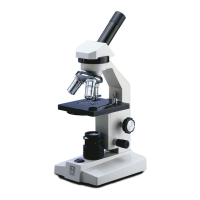
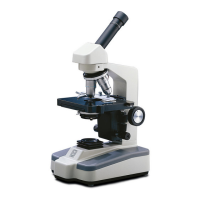
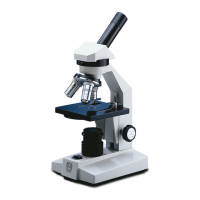
National 130 - User Manual

National 130
8 pages
Print Icon
To Next Page IconTo Next Page
Loading...
National Optical & Scientific Instruments Inc.
11113 Landmark 35 Drive
San Antonio, Texas 78233
Phone (210) 590-9010 Fax (210) 590-1104
INSTRUCTIONS FOR
MODELS 130, 131, 132, 138 & 139
COMPOUND MICROSCOPES
NOTE: These models share common features, nomenclature and
method of operation. The only difference are…
Model 130 features mirror for reflected illumination from
natural or other light source.
Models 131 & 132 feature electric illumination from a
tungsten bulb.
Models 138 & 139 feature electric illumination from a
fluorescent bulb.
Models 132 & 139 have both 30° inclined and vertical
eyepiece tubes, each supplied with WF10x
eyepiece.
National Optical & Scientific Instrument Inc.
Copyright © 1/2/01

Questions and Answers

  • T
    Troy HaleJul 27, 2025
    Why is the light not working on my National 130 Microscope?
    • D
      Dr. Dawn CruzJul 27, 2025
      If the light on your National Microscope isn't working, there are a few things you can check. First, make sure the microscope is plugged into a working outlet. If the outlet isn't working, have it repaired by a qualified service technician. Also, check that the AC power cord is properly connected. Finally, the lamp itself may have burned out and need replacement.
  • C
    Christopher MooneyAug 3, 2025
    How to remove spots in the field of view of National 130 Microscope?
    • R
      richardpattonAug 3, 2025
      If you're seeing spots in the field of view of your National Microscope, it's likely due to dirty lenses or slides. Try cleaning the eyepiece or condenser lens first. If that doesn't solve the problem, clean the specimen slide.
  • A
    andrewsstephanieAug 10, 2025
    What to do if the image does not remain in focus on National 130 Microscope?
    • M
      marshalllarryAug 10, 2025
      If the image in your National Microscope doesn't stay focused, here are a few potential causes: * The stage might be dropping due to its own weight. Try adjusting the tension control. * The rack stop may not be set correctly, so adjust it. * The slide might be upside down; ensure the cover slip is facing up. * The cover slip could be too thick; use a 0.17mm thick cover slip (No.1 cover slip).
  • D
    Diana BeckAug 18, 2025
    How to improve poor resolution (image not sharp) on National 130 Microscope?
    • A
      Alan HernandezAug 18, 2025
      If the resolution of your National Microscope image is poor, resulting in a blurry image, it might be due to dirty lenses or too much light. Try cleaning the objective lenses and the eyepiece lenses. Also, adjust the disc diaphragm to reduce the amount of light.

Summary

Unpacking Instructions

Microscope Component Descriptions

Eyepiece (Ocular Lens)

Lens closest to the eye; magnifies primary image. Dual head models have inclined and vertical eyepieces.

Diopter Adjustment

Focus adjustment for differences in vision between primary and secondary viewers on dual head models.

Objective Turret (Nosepiece)

Revolving turret holding objective lenses for changing magnification by rotating into optical path.

Objective Lens

Lens closest to the object; forms the first magnified image of the specimen.

Stage Clips

Hold specimen slide in place on the stage. Compatible with optional mechanical stage.

Stage

Platform where the specimen slide is placed for viewing.

Condenser Lens

Fixed lens that condenses light rays to improve image resolution.

Disc Diaphragm

Rotating disc with apertures to control light for optimal resolution.

Safety Rack Stop

Controls maximum upward travel of stage to prevent damage to slides and objectives.

Focusing Knobs

Coarse and fine knobs for adjusting stage height to bring the specimen into focus.

Illumination System

Provides light via a mirror or built-in electrical illuminator depending on the model.

Microscope Operation

Changing Magnification

Procedure for rotating the objective turret to switch between different magnification lenses.

Diopter Adjustment for Dual Head Models

Compensates for vision differences between primary and secondary viewers on dual head microscopes.

Camera Adaptation for Dual Head Models

Guidance on mounting a video camera using available adaptors on vertical eyepiece tubes.

Maintenance Procedures

Optical Maintenance

Instructions for cleaning lens surfaces without disassembly, using brushes, air, or specific solutions.

Mechanical Maintenance

Adjusting rack stop, coarse focus tension, and cleaning metal parts.

Electrical Maintenance

Guidance for qualified technicians, primarily focusing on bulb replacement procedures.

Troubleshooting Guide

Optional Accessories and Parts

Limited Lifetime Warranty Information

National 130 Specifications

General IconGeneral
HeadMonocular
Objective Lens4x, 10x, 40x
Eyepiece10x widefield
IlluminationLED
FocusCoarse and Fine
Magnification40x, 400x
Focusing SystemCoaxial coarse and fine focusing knobs

Related product manuals