ALGO® 5 Newborn Hearing Screener Service Manual
P/N 000976 Rev.A
25
3.2. Troubleshooting the Panel PC
3.2.1. Replacing the battery for the RTC (Real Time Clock) on the Panel PC
Tools needed: Phillips Screwdriver, #2
• Unplug all the cables and power cords going to the Panel PC. Make note of
what ports cables are connected to.
• Remove the Panel PC from the cart and place it with the screen facing down
on a table.
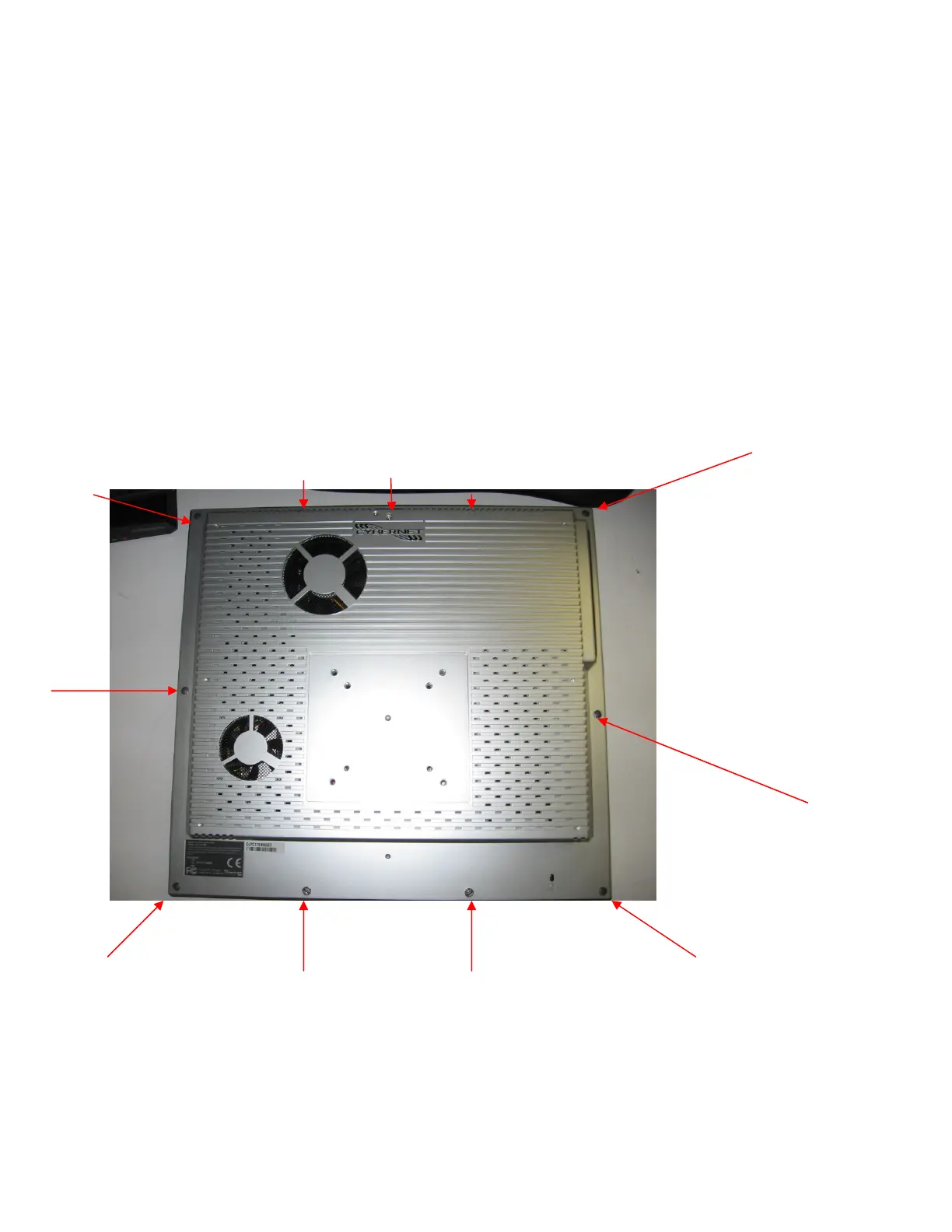
• Remove the 11 M3 x 10mm Phillips screws (Natus P/N 800213) that hold the
outer shell on and remove the outer shell.
FIGURE 17: Location of Panel PC outer shell screws



 To Next Page
 Loading...