Trex™ HD Monitoring Amplifier User & Service Manual
32
7. Product Images
7.1. Front View
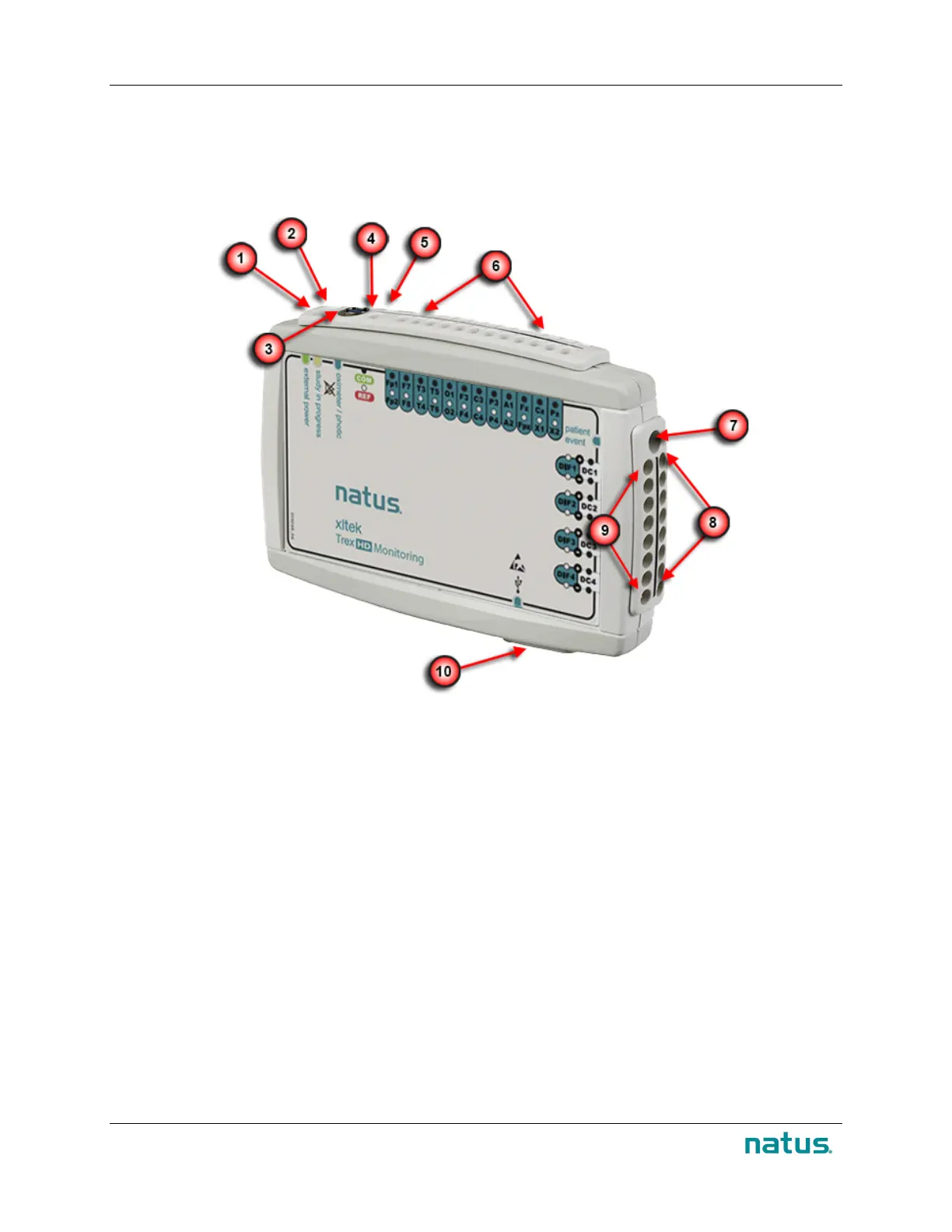
Trex HD Monitoring Amplifier
1
Power LED
2
Status LED
3
Oximeter / Photic Connection
4
Reference Input (forward)
5
Common Input (rear)
6
24 Referential Inputs (two rows)
7
Patient Event Button Connection
8
DC Inputs (rear row)
9
Differential Inputs (forward row)
10
USB Connection (bottom) for Acquisition PC or External Battery pack


 To Next Page