Trex™ HD Monitoring Amplifier User & Service Manual
52
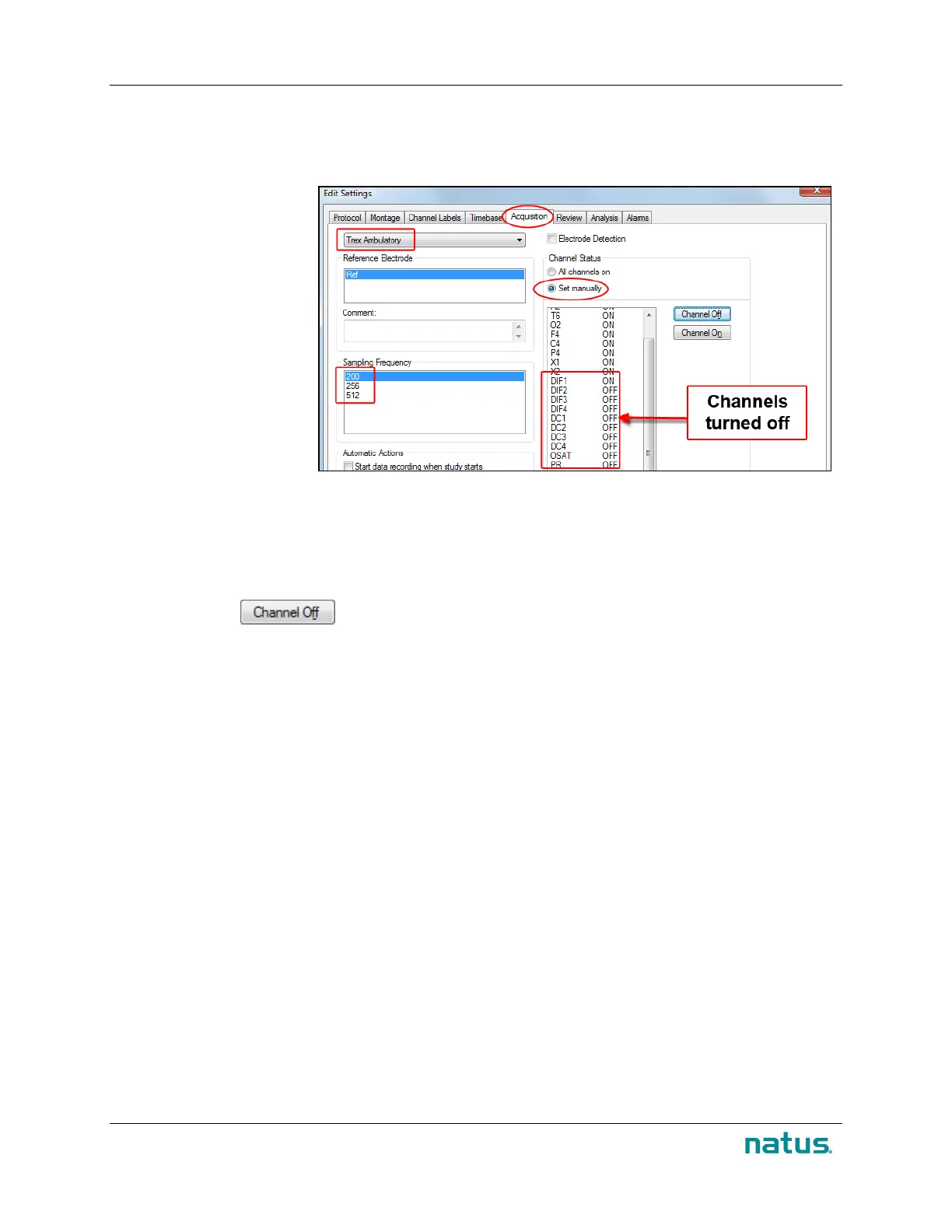
13. How to Disable Channels and Set Frequency
Disabling unused channels will help maximize battery life.
1. In NeuroWorks or
SleepWorks,
choose Edit >
Settings >
Acquisition.
2. Select Trex HD
Ambulatory in
the first drop-
down box.
3. In the Channel
Status section,
select Set
manually.
4. In the pane below, select the following channels:
•
All DC channels: DC1, DC2, DC3, and DC4
• Differential Channels DIF2, DIF3 and DIF4*
•
Pulse Rate (PR) and Oxygen Saturation (OSAT)
5. Click the button.
6. In the Sampling Frequency section, select 200.
* DIF1 should not be turned off because it is needed in order to perform the impedance check.


 To Next Page