NV30/NV40 Operations and Maintenance Manual Operating the transmitter
Issue 3.3 2014-12-10 Page 2-25
Viewing tool menu panels
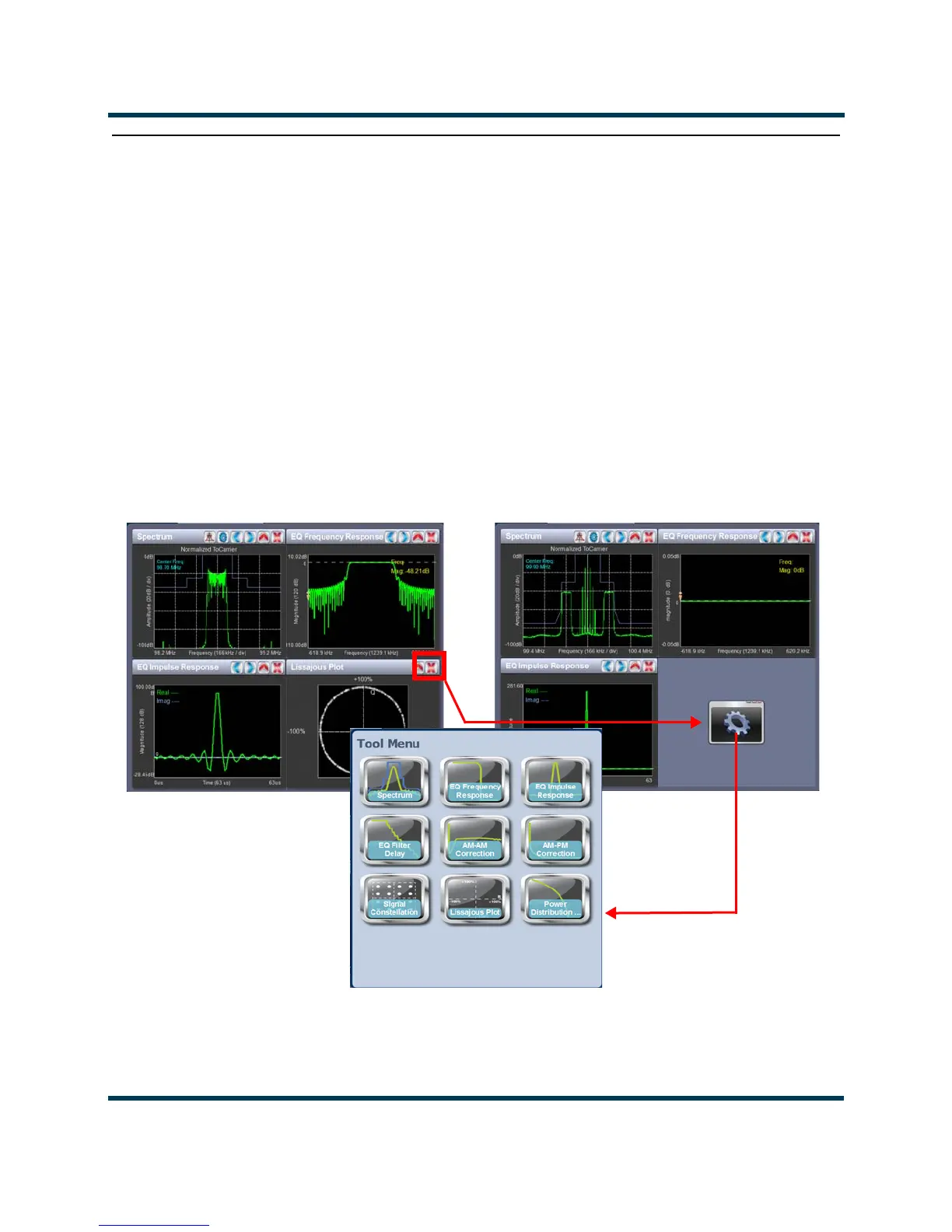
The center area of the Home page screen displays up to 4 panels of instrument information. Users
can choose which panels to display from 9 possible information panels (see Figure 2.15).
This section include the following topics:
• Describing instrument panel options on page 2-26
• Viewing instrument panels on page 2-27
• Instrument panel procedures on page 2-27
• Available instrument panels on page 2-30
Figure 2.15: Tool Menu Panel Options
To view the instrument panel options , close an existing panel by pressing X (upper-right corner) and
then press the icon in the blank space to open the
Tool Menu. Select an icon to display that panel.



 To Next Page