NV30/NV40 Operations and Maintenance Manual Operating the transmitter
Page 2-28 Issue 3.3 2014-12-10
• To enlarge/reduce the instrument panel, use the maximize/minimize buttons. Some instru-
ment displays show more information when maximized.
– Most panels can be maximized to fill the whole screen, e.g., EQ Impulse Response (see
Figure 2.18 on page 2-29).
– Some panels display more information when maximized, e.g., Signal Constellation (see
Figure 2.19 on page 2-29).
• To display additional settings in the Spectrum Analyzer panel, touch the “cog” button (see
Figure 2.16 on page 2-27). Displays include resolution bandwidth, span, averaging rate and
the actual measurement source (transmitter output, audio analyzer, etc.) that is being dis-
played. Touch the “peak” button (see Figure 2.16 on page 2-27) to place the cursor on the
next successive peak in the spectrum.
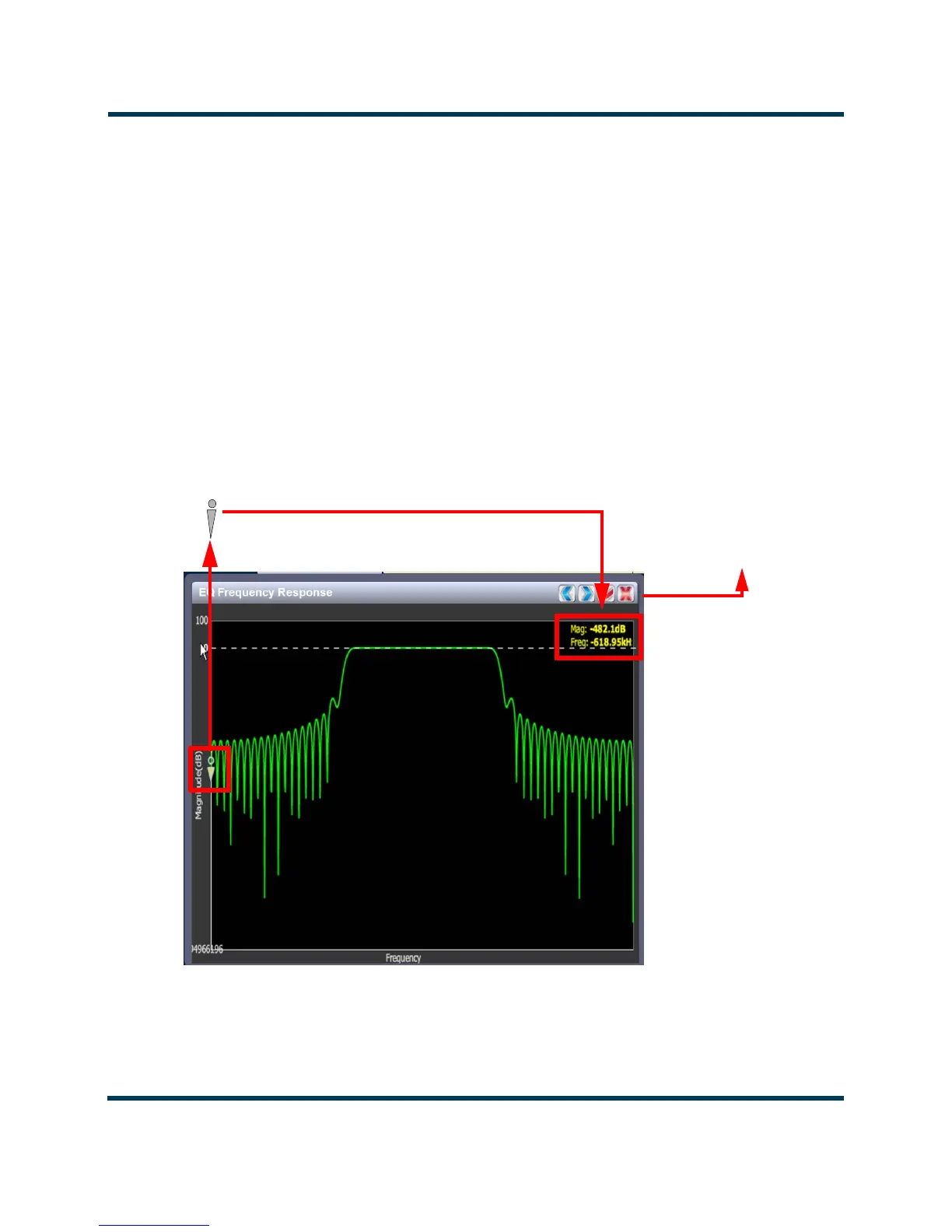
Figure 2.17: Instrument Cursor Manipulation
Cursor
Tools to move cursor
and display information



 To Next Page