NV30/NV40 Operations and Maintenance Manual Operating the transmitter
Issue 3.3 2014-12-10 Page 2-35
AM-AM and AM-PM correction screens
When the transmitter is operating with digital carriers, the exciter linearizes the transmitter’s RF drive
signal by performing adaptive pre-correction. There are two correction parameters - AM-AM
Correction
(see Figure 2.25) and AM-PM Correction (see Figure 2.26 on page 2-36), which can be
viewed as an instrument panel.
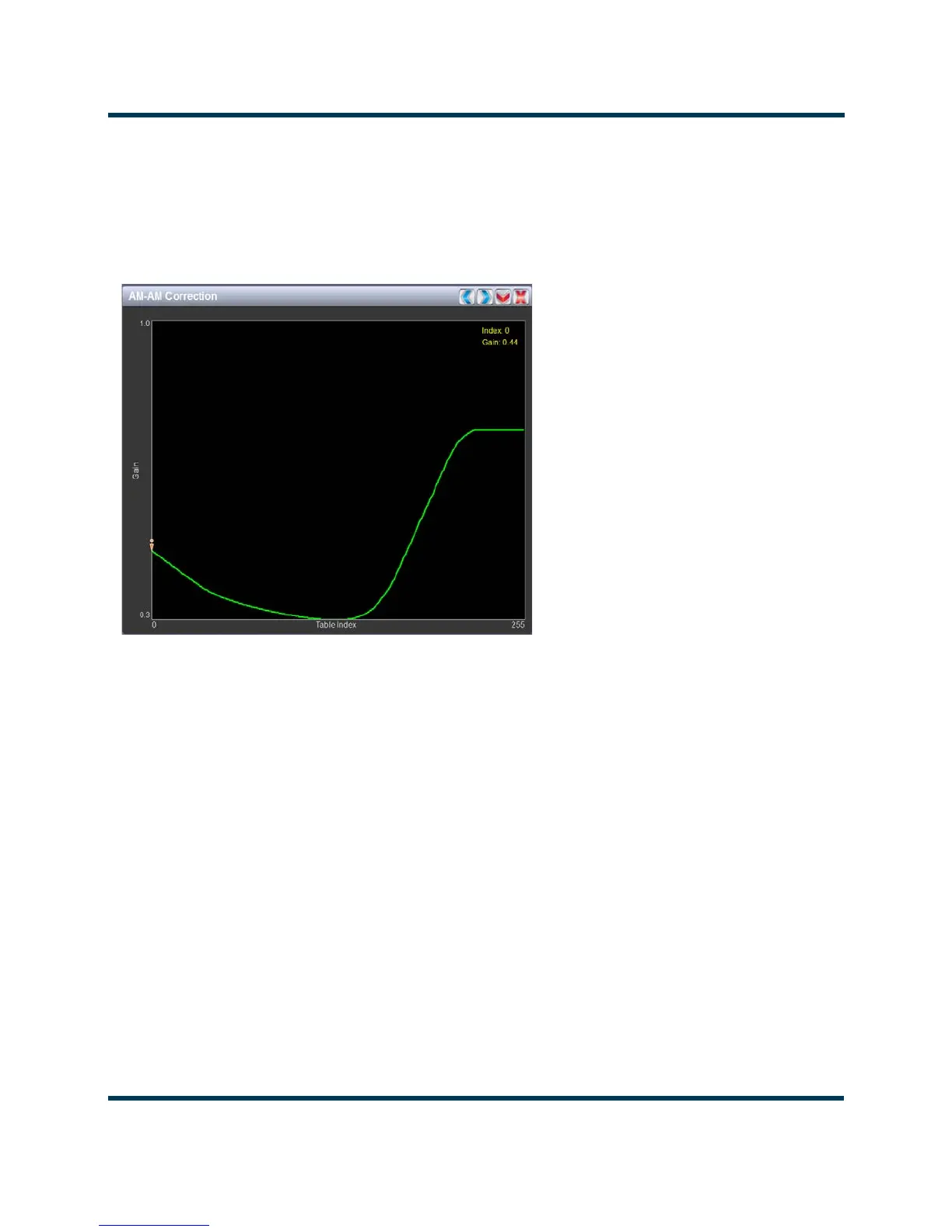
Figure 2.25: AM-AM Correction
AM-AM correction
This panel displays the amplitude correction being applied to the RF drive signal in order to
compensate for the transmitter amplitude (gain) response, which is non-linear. The x-axis represents
the signal amplitude and the y-axis represents the gain correction applied for a given amplitude value.
A look up table (LUT) index value of 0 represents low transmitter output power (RF drive). A LUT
index value of 255 represents the maximum transmitter output power (RF drive).
The LUT curve can show that at low transmitter output power, more RF drive power is required to
connect for low final stage amplifier gain - the curve sharply increases as it drops to 0 table value.
(This low gain can also be overcome using additional bias, however pre-correction is more efficient.)
Equally, the curve could also increase sharply at the top end of the table, suggesting that high RF
drive power (gain) is required to connect for low gain at final stage amplifiers (PA compression peak
limiting). It is technically the inverse of the transmitter’s power amplifier gain response.
Touch on the panel to display a cursor in the approximate area. The cursor position (Gain and LUT
index) is noted in the upper, right-hand corner of the panel. Touch in other areas of this instrument
panel to provide a coarse adjustment of the cursor position. Use the left/right fine adjustment
buttons and the maximize/minimize buttons as required.



 To Next Page