NV30/NV40 Operations and Maintenance Manual Operating the transmitter
Page 2-56 Issue 3.3 2014-12-10
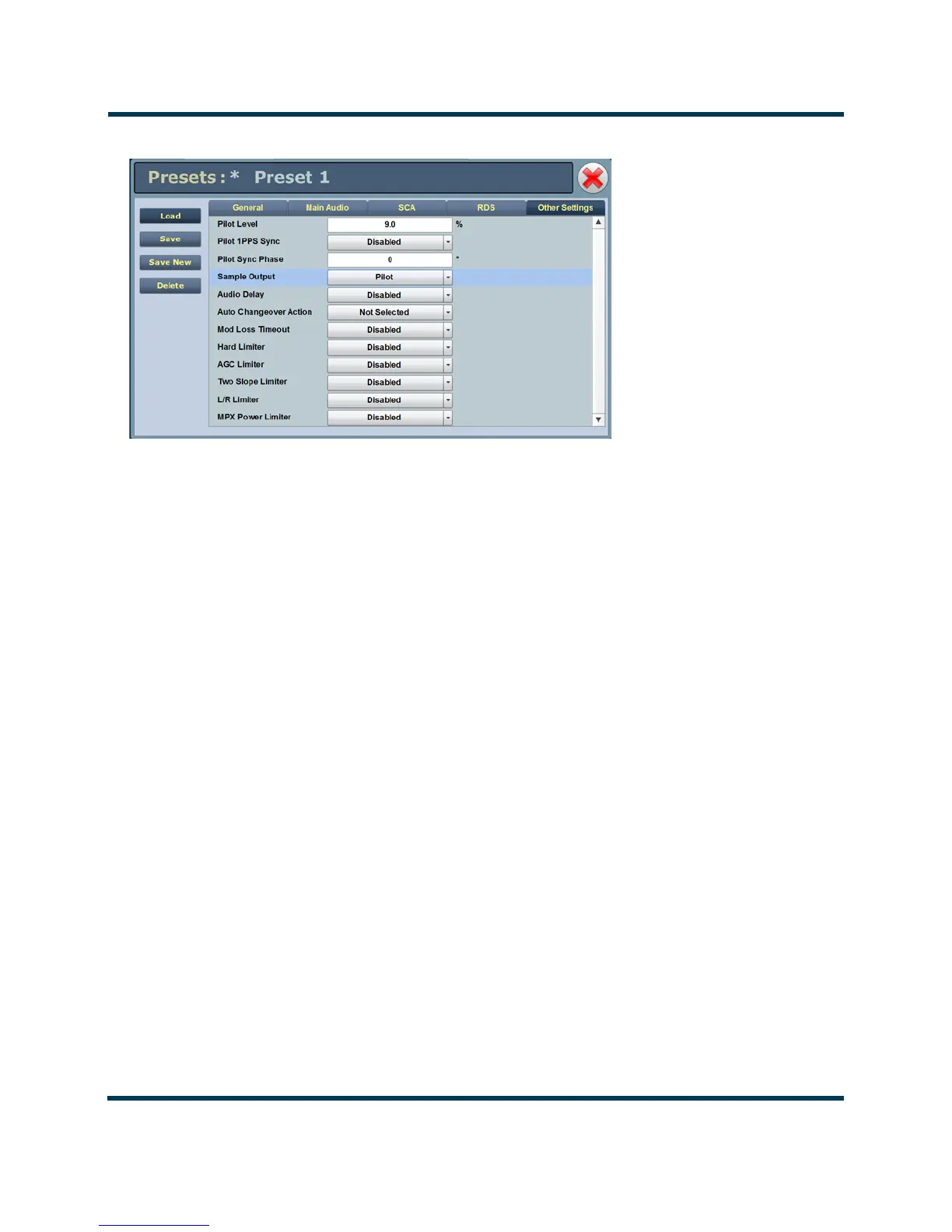
Figure 2.39: Presets - Other Settings
Other Settings - (see Figure 2.39)
:
• Other Settings Provides the following sub-functionality:
– Pilot Level: enter value between 6 and 12 % (typically 9 %). This level is
added to the composite baseband signal.
– Pilot 1 PPS Sync: select Enabled.
–Pilot Sync Phase:
if Pilot 1 PPS Sync is enabled, enter value between 0
and 360 degrees (typically 0 degrees).
–Sample Output: determines which sample signal will be present on
exciter’s rear panel PILOT/MPX SAMPLE OUT BNC connector. Select
Pilot
(default setting, pilot sample present) or MPX (Composite)
(composite baseband signal present).
– Audio Delay: select Enabled, then enter value in the allowable range of
0-12000 ms
. Default is 0. Audio Delay is used to time align the receiver
output of decoded analog and digital audio signals.



 To Next Page