NV30/NV40 Operations and Maintenance Manual Operating the transmitter
Issue 3.3 2014-12-10 Page 2-69
PA field bias
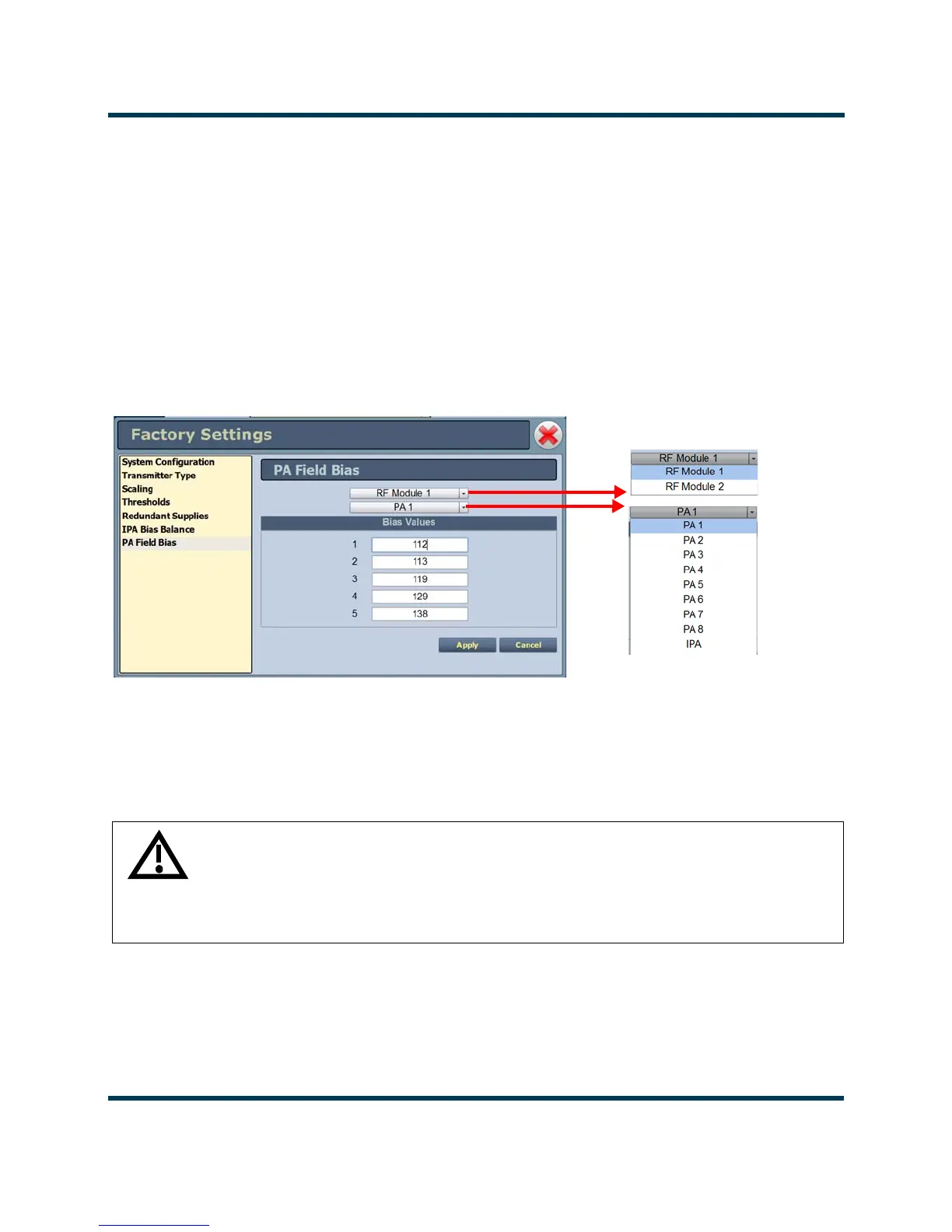
This factory setting (see Figure 2.50) allows the user to easily set the applicable bias values from the
control tag provided with the replacement PA.
Select which RF Module and PA position the replacement PA was installed in, then enter the Bias
Values
for indices 1 through 5 from the factory supplied control tag.
The Bias Values fields accept only a decimal number format. Enter the decimal number from the
control tag, or if your spare PA control tag specifies a hexadecimal number, convert it to decimal and
then enter the appropriate decimal number.
Figure 2.50: Factory Settings - PA Field Bias
WARNING: Device settings are established at the factory and should not
require any adjustment. These settings affect critical system protection
circuits. Making changes to these settings may void your warranty.
Contact Nautel before making changes.



 To Next Page