NV30/NV40 Operations and Maintenance Manual Operating the transmitter
Page 2-72 Issue 3.3 2014-12-10
Upgrade software
The Upgrade Software page allows for uploading a suite of software upgrade files (.tgz files) via
remote connection. Navigate the page as described below. Please note that users cannot add upgrade
files via the local AUI touchscreen. For additional information on loading software, see Upgrading
software on page 4-1 of this manual.
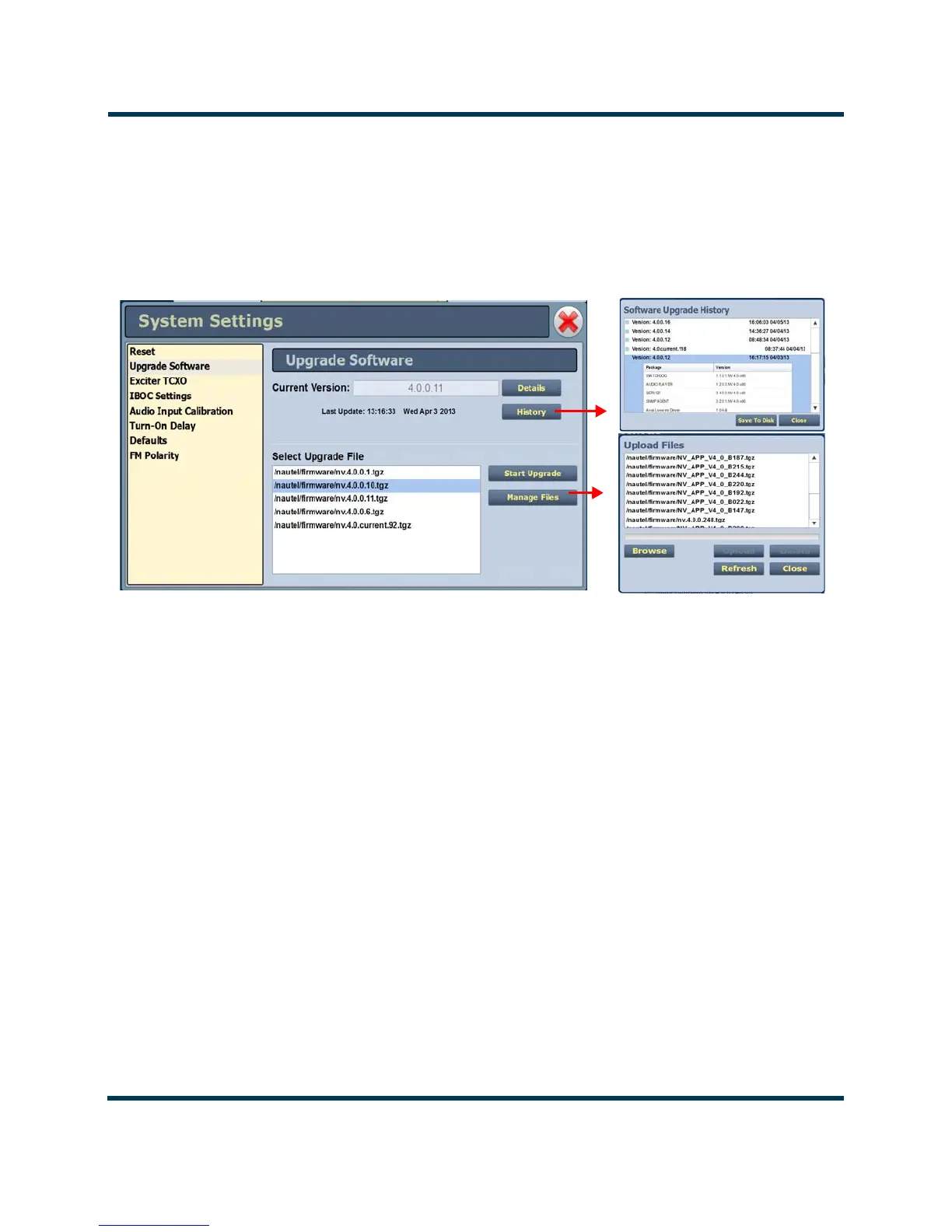
Figure 2.53: System Settings - Upgrade Software (Remote Upgrade Shown)
Select the Upgrade Software option from the left-side of the System Settings page to open a
related window on the right-side of the page. The page consists of the following sections and buttons:
• Current Version - indicates the current software version.
• Select Upgrade File - displays the available upgrade files uploaded to the transmitter.
• Details - opens a window containing information about the installed software. If an upgrade
file is selected, the screen will show a comparison between the installed version and the
selected upgrade by component. Identical versions are shown in green; different versions are
shown in red. You can also view the details of the previous upgrade by pressing the View
Last Upgrade
checkbox.
• History - displays a window containing a history of the upgrades to the software. Press the
+ button to maximize the details of the software. You can save this information to disk as a
.txt file from the remote AUI.
•
Start Upgrade - begins the process of upgrading the current software with the selected
upgrade file.
•
Manage Files (available through the remote AUI only) - opens a window displaying the files
you can upload to upgrade the software. You can add or delete files from this list using the
Browse, Upload and Delete buttons in the window.



 To Next Page