1. VHF channel (background) noise
interferes with proper reception
of AIS messages
Restart device and wait for 10
minutes
2. GPS antenna connection
problem (open circuit)
a. Check GPS antenna connector
on device; unplug, clean,
reconnect and screw in tightly
b. Check GPS antenna cabling for
blank patches, wear & tear all
the way from device to antenna
If not using the original Nauticast
GPS antenna: Make sure you use
an active 5VDC GPS antenna.
Same reasons as No. 5, but now
two subsequent transmission
cycles have been missed
(depending on required
transmission frequency: after
approx. 1 or 7 minutes)
See solutions listed for No. 5
Main 12-24VDC power supply
problem
a. Connect 12-24VDC power
supply;
b. Check fuses and/or cables.
c. If problem persists: Check
condition of batteries / load
regulator using a multi-meter
If the problem remains unsolved after completing the instructions above, we kindly ask you to
contact Nauticast Support with a log file (ideally: 2-3 hours of voyage) of your Nauticast B2 in
operation. To create the log:
Reconfigure the Nauticast B2 as described in Chapter 2 Installation. Connect to 12V or 24V
power.
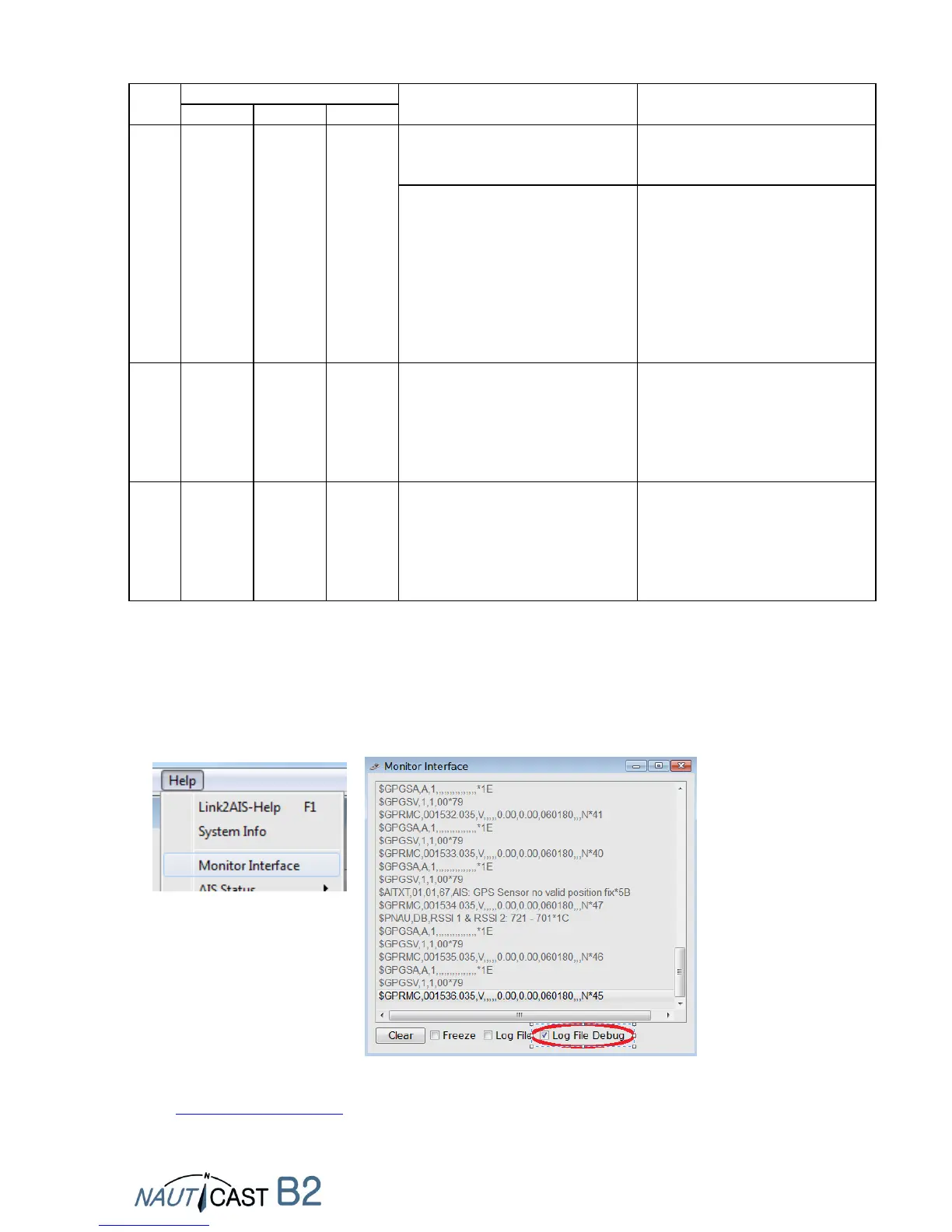
Connect a PC with Link2AIS installed.
Start Help -> Monitor Window -> Data Log in Debug mode.
Locate the log-file named yy-mm-dd@hhmm in directory C:/Nauticast/Logs and send it to
support@nauticast.com with a description of the problems encountered. Nauticast support
will analyze the data and get back to you regarding further steps.


 To Next Page