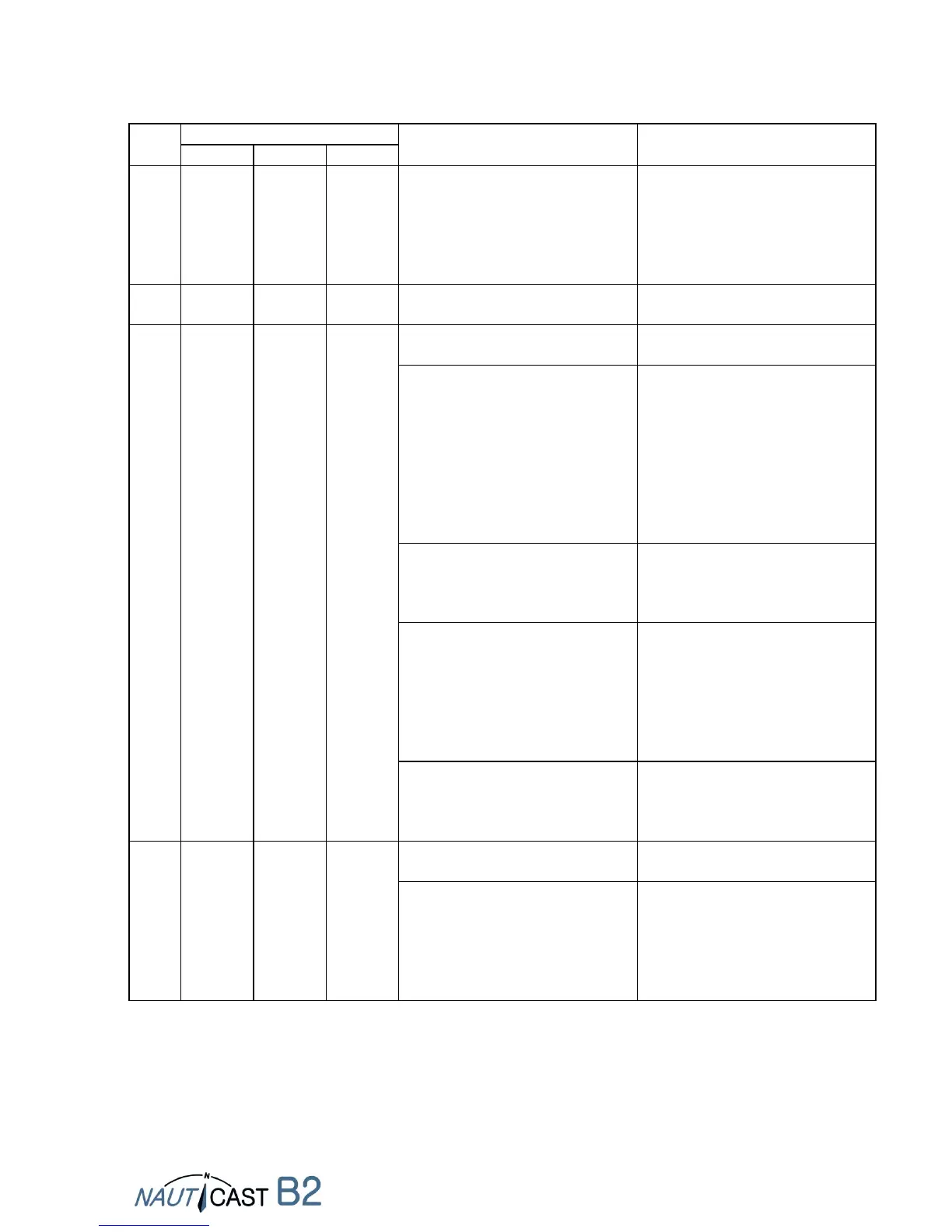
8.8 Appendix H – Diagnostics and Troubleshooting
No power supply (neither 12-
24VDC nor via USB cable
a. Connect 12-24VDC power
supply;
b. Check fuses and/or cables.
c. If problem persists: Check
condition of batteries / load
regulator using a multi-meter
1. MMSI not programmed or
invalid MMSI
Program valid MMSI into B2, using
the Link2AIS software provided
2. VHF or GPS Antenna connection
is faulty
a. Check antenna connectors on
both ends (2 for VHF, 2 for GPS);
unplug, clean, reconnect and
screw in tightly
b. check VHF antenna for shorts,
connection with
metal/conductors
c. check antenna cabling for blank
patches, wear & tear; repair
3. No valid GPS position
information
a. Make sure GPS Antenna is not
covered / obstructed
b. Check GPS Antenna for visible
signs of damage
4. High VHF channel load (=VHF
traffic) near ship
a. Busy area (lots of marine traffic)
and SOG < 2kn, e.g in and near
harbours:
b. Quiet area or at high sea and
SOG > 2kn:
Wait for 15-20 minutes
Wait for 10 minutes
5. AIS Message 23 (Group
Assignment) has been received
from base station and calls for a
quiet period
Wait for at least 15-20 minutes;
base station will change group
assignment, i.e. lift quiet periods
Deactivate Silent Mode (if it was
activated involuntarily)
2. if no Silent Switch is installed or
Silent Mode is definitely not
activated: Problem with main
12-24VDC power supply
a. Connect 12-24VDC power
supply;
b. Check fuses and/or cables.
c. If problem persists: Check
condition of batteries / load
regulator using a multi-meter


 To Next Page