1.2 Position Information Source
The marine AIS system uses position information derived from networks such as the Global
Positioning Satellite (GPS) or the Global Navigation Satellite System (GLONASS) in order to determine
the location of the AIS unit and thus the vessel to which it is fitted. The Nauticast B2 utilizes the GPS
satellite network.
2 Installation
2.1 The contents of this box
Before proceeding with the installation of the Nauticast B2 please check the contents of the box,
which should include:
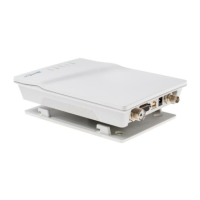
The Nauticast B2 AIS transponder
Mounting plate
Power Cable
USB Cable
VHF Antenna with connection cable and mount
GPS Antenna with connection cable and mount
Documentation and Software CD containing:
o Nauticast B2 Product Manual
o Nauticast B2 Product Sheet
o Link2AIS Setup
o Link2AIS User Guide
o + other Documentation and Information Material
Installation should be completed in 3 separate steps. Complete each step before proceeding to the
next:
1. Install the Link2AIS software onto your PC
(please see our website http://www.nauticast.com/content/link2ais for the latest version).
2. Enter your ship’s data (MMSI, Vessel Name, Call sign, Length, Beam etc.) into the Link2AIS
software and save them onto the Nauticast B2 (only USB connection necessary).
3. Install your Nauticast B2 hardware to your vessel.


 To Next Page