2.2 Software Prerequisites
The Link2AIS-software is designed to operate with Microsoft Windows® operating systems. The
recommended minimum system requirements are:
Microsoft Windows® XP SP2 or above till Microsoft Windows® 8.1.
Recommended screen resolution of 1280 x 1024 (although the Link2AIS-software can
operate on screens with smaller resolution, with the use of scroll bars).
One free USB port – minimum USB 2.0.
A pointing device (mouse or equivalent).
An Internet Browser used for the help system.
2.3 Installing the Link2AIS software onto your PC
The Link2AIS-software is part of the Nauticast B2-bundle or may be downloaded from the webpage
of Nauticast GmbH. Unzip the package when necessary, locate the file Setup.exe ind the “Software”
folder on the enclosed CD and double click on this file to start the installation process. Follow the
screen prompts to install the Link2AIS software.
* Refer to the Software User Guide (‘Help – Link2AIS-Help’, section Documentation)
for detailed installation instructions.
A Start Menu folder and a shortcut on your desktop will be created with the name 'Link2AIS'. This
short cut should be used to launch the application.
2.4 Enter your ship’s data
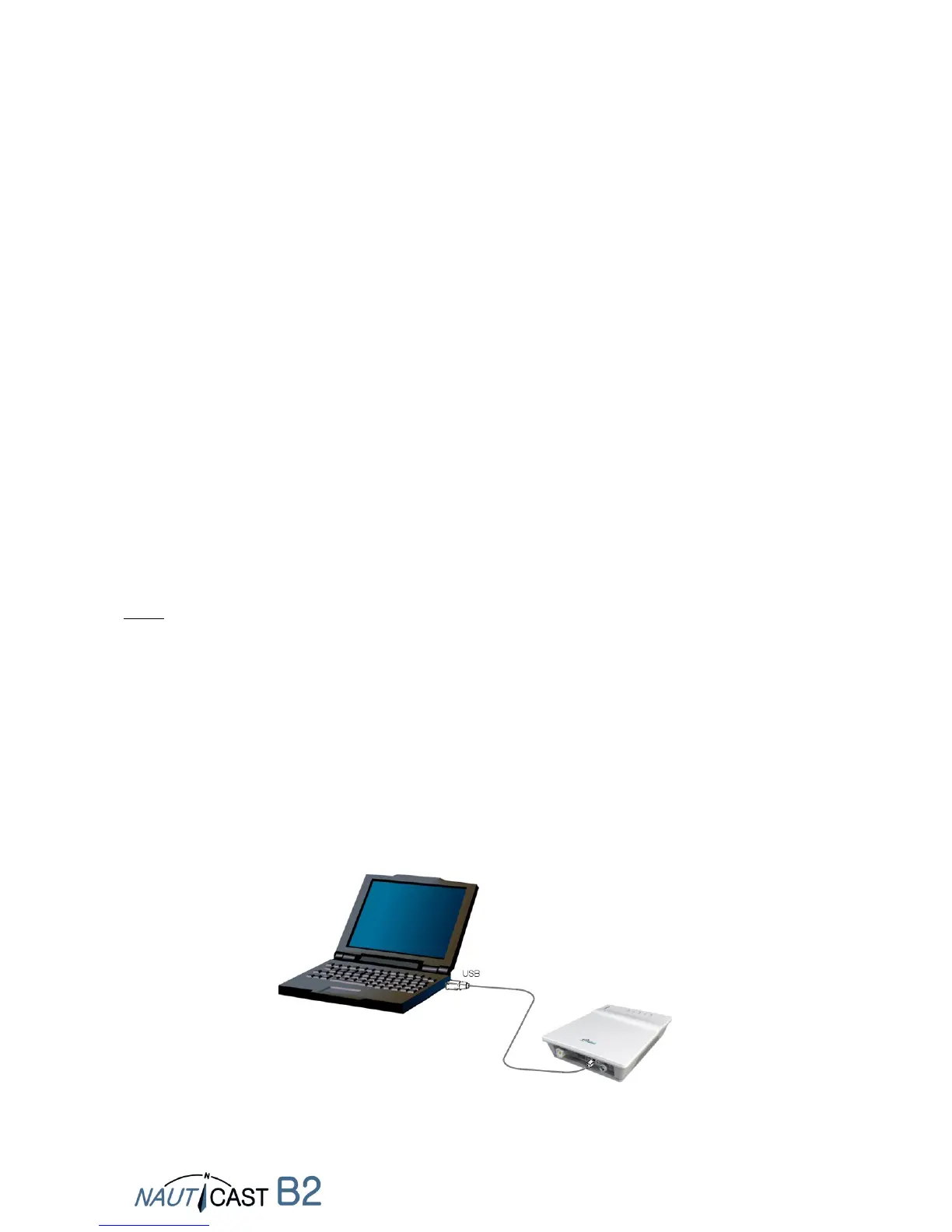
NOTE: To program your Nauticast B2 you will need to connect it to a personal computer or a
notebook with the Link2AIS software installed. There is no external power source needed when
using a USB connection. If you intend to use the optional data cable (product no.: 3001004) on the
vessel, we recommend you still perform the configuration of the Nauticast B2 via USB, in order to
make programming your device easier.
2.4.1 Connecting the Nauticast B2 to your PC
Connect the Nauticast B2 to your PC/notebook using USB. The LEDs on the device will
first cycle through. Then the PWR LED and the ERR LED will stay on, while the TX LED
flashes. This is the normal sytem behaviour if the device is only connected to the USB
port and no antennas are attached.
Make sure the device is recognized correctly by your PC (Windows shows a message on
the task panel what COM port has been assigned).


 To Next Page