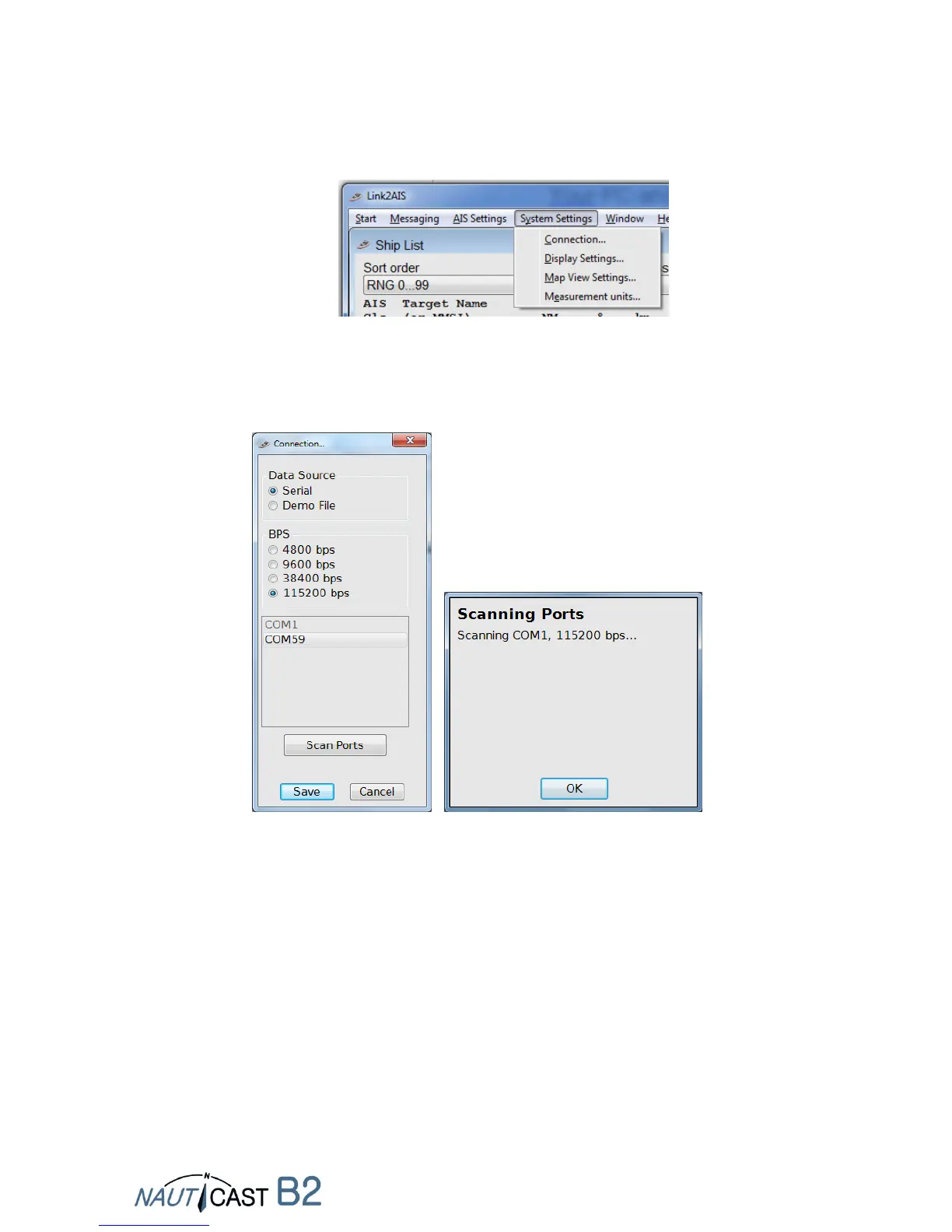
Start the Link2AIS software program on the PC.
Open the connection settings:
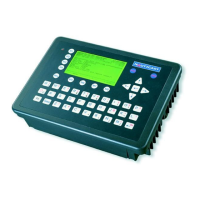
By pressing ‘Scan Ports’ the software checks the available ports for the device and gives
you a suggestion when ready. The serial port (port number can be found in the device
manager of Windows) can also be selected manually from the menu. Click 'Save' when
the right port is selected. For the Nauticast B2 115200 bps need to be used.
Once a connection is established the application is ready to use. Any error messages
shown during USB-only connection can be ignored (such as send and seceive erros,
postion errors etc.).
There is a context based Help available which explains what each data entry field means
and what sort of data is expected. The help system is started by pressing the F1 key on
your PC or via the menu “Help”.


 To Next Page