38
3. Drive a short distance if necessary (1 meter is enough) to wake
the APPCON. The LED in the dark glass lid ashes.
4. A green or blue ashing LED means that the internal battery of the
APPCON is sufciently charged to start charging immediately.
5. A red ashing LED means that the internal battery of the APP-
CON 3000 is empty. You can now charge the APPCON 3000
with the supplied USB charging cable on a USB charger or by
riding your bicycle.
6. quick charging technology mobile phones: The APPCON must
rst be charged to 17% on the bike before the USB output opens
(red LED). This value is due to the fast charging technology of
modern mobile phones (is complicated). There is nothing for
them to pay attention to, everything is automatically controlled.
If you still want to get the remaining capacity of the APPCONS
you have to reboot the APPCON in the APP. (More info in the
blog).
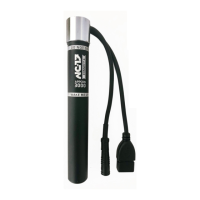
7. a USB charging cable is also included, which is compatible with
your USB power supplies. You can use it to charge the APPCON
3000 at home. Description follows below.
8. The charging process of the smartphone continues even if your
bicycle is stationary or the bicycle lighting is switched on. The
APPCON 3000 draws its power from its internal battery.
9. When the bicycle is stationary for approx. 2 minutes, the APP-
CON 3000 switches itself off. Its USB socket is then de-ener-
gised if no customer, e.g. a mobile phone, is connected. If a
mobile phone is connected, we continue to charge.
tent mode
The battery of the APPCON can also be used as a normal power
bank. Charging at the power outlet is done via a normal USB power


 To Next Page