42
Please note our privacy policy on our website www.NC-17.de
You can download the free app „AppConGT“ from the App Store
for iOS or the Play Store for Android. This app turns your iPhone or
Android phone into a comfortable bike computer and keeps a diary
of all your bike tours.
Bluetooth pairing
Note: Not all mobile phones support the required Bluetooth 4.0
protocol. It is possible that in very few cases an update may be
necessary for older phones.
TIP: If you have problems charging your mobile phone with the
APPCON 3000 or establishing a Bluetooth connection, borrow a
new generation Apple or Samsung device from a friend. If then
everything works, you have excluded as far as possible all errors of
the wiring or the APPCON.
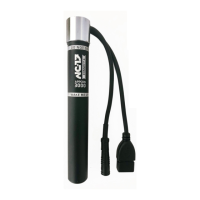
If you want to use an app on your smartphone, you have to connect
the APPCON 3000 with the app so that data can be transferred
from the APPCON 3000 to the smartphone. You only have to do
this once, directly in the app and not in the operating system. Both
the smartphone and the APPCON 3000 save the pairing and re-
cognize each other automatically during the next bike tour, without
you having to perform the pairing again manually.
1. Download our free APPCON App AppConGT or another app that
supports the Bluetooth 4.0 protocol from the Apple App Store or
Google Play Store.
2. Please note that the APPCON 3000 is registered directly in the
app and not in the operating system.
3. Drive a short distance (5 meters are enough) to turn on the APP-
CON 3000 or use the tent mode switch. The LED under the dar-
kened window ashes. The readiness for coupling is indicated
by a blue or red ashing.


 To Next Page