41
Wake up / switch on:
If the LED is off, you cannot charge a USB device. However, you
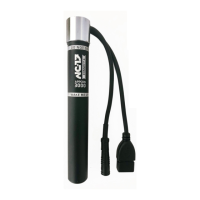
can simply wake up the APPCON 3000 by moving the magnet
around the centre of the housing (waking it up from tent mode).
After waking the LED blue Bluetooth ready ashes 1 min and then
green 1 min then the LED goes off. If a USB consumer is con-
nected, it will be charged until the APPCON is empty. If no USB
consumer is connected, the APPCON switches off the USB port
after 2 min.
Wake up from deep sleep:
If you do not use the APPCON 3000 for more than 2 weeks, the de-
vice goes into a deep sleep in which the self-discharge of the batte-
ry is very low. Now a magnet can no longer switch on the APPCON
3000. As with the initial start-up, you can simply switch the APPCON
on again by connecting it to the hub dynamo or a USB charger.
APPCON APP
Basically the APPCON is a charger for the power supply of a bicyc-
le. As a small company we are very proud of the result. The App is
an addition to the APPCON 3000 and needs some improvements.
So please don‘t be so strict with us, we work on it and are open for
improvement suggestions.
Note: The APPCON can be used without App at any time. Our
app does not access any of your personal data or, if it does (Apple
Health), it is only stored on your mobile phone. There is no thought
or effort on our part to collect your information, let alone share it
with others.
There will be a service function where the APPCON status can be
read for error analysis by the user. This generated le can be sent
to NC-17 by e-mail for analysis. All data will be in plain text in the
e-mail. No further data will be transmitted.


 To Next Page