AE- 1 5 0 s y s t e m – U s e r M a n u a l
21
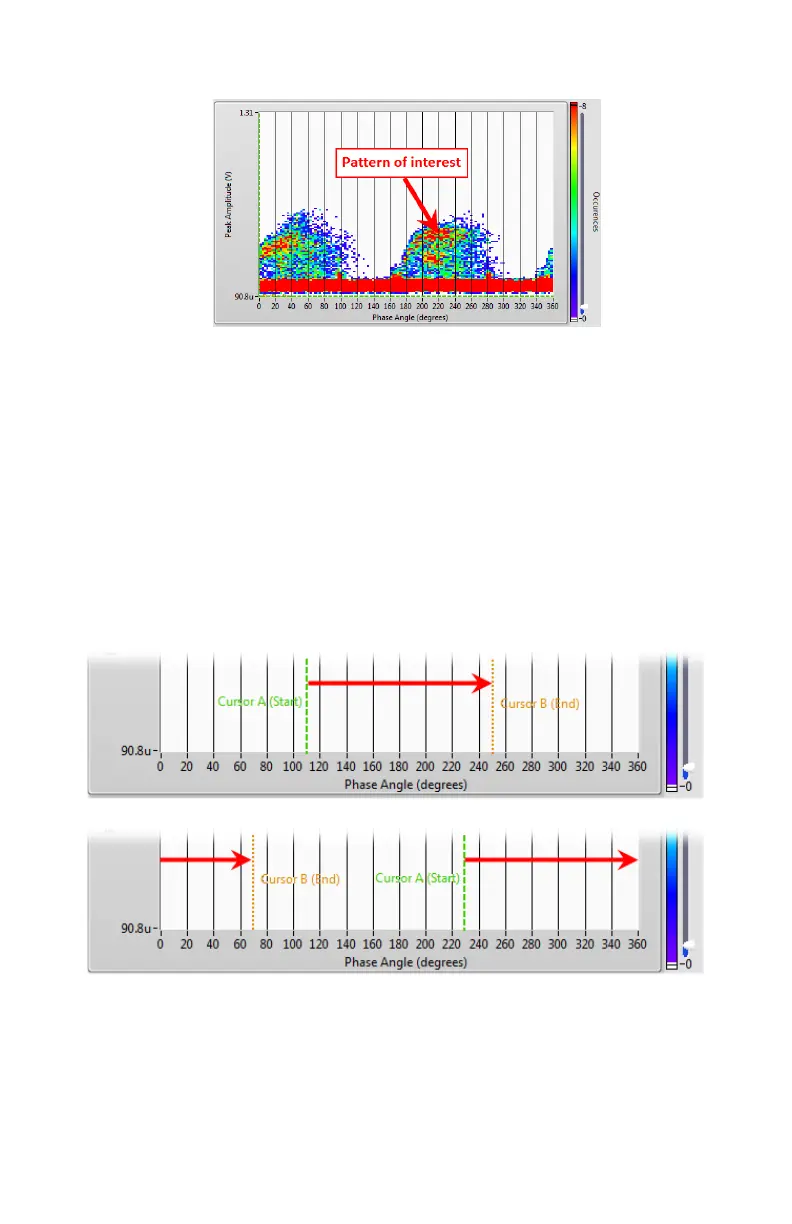
Use the Occurrences slider (right side of the PrPD graph) to facilitate
identification of a pattern of interest in the PrPD graph. The acquired
signal color will vary along with the number of occurrences.
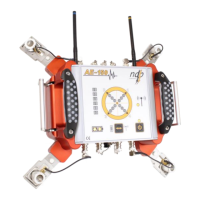
Set a trigger window on the chosen pattern using the two vertical
cursors (Cursor A Start and Cursor B End).
Examples:
A window set from 110° to 250° will consider any event occurring between 110°
to 250° and ignore any event between 250° to 110° (refer to the top part of next
figure).
A window set from 230° to 70° will consider any event between 230° and 70° and
ignore any event between 70° and 230° (refer to the below part of next figure).
Set the horizontal threshold cursor above the noise level to complete
the trigger window, on the pattern of interest.
Note: Avoid selecting two patterns of interest in the trigger window.


 To Next Page