AE- 1 5 0 s y s t e m – U s e r M a n u a l
25
Moving the AE-150 to a new location
In order to obtain crossing vectors, the instrument must be installed at a
different location on the transformer tank. This new location can be on the
same tank wall or a different one.
Tip: Choose a new location according to the times of arrival on the
acoustic sensors. The goal is to get closer to the partial discharge
source. For example: If sensor #1 waveform arrived first, move the
AE-150 to the top and/or right side.
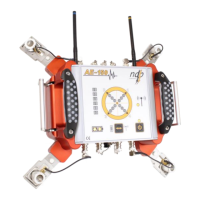
Install the AE-150 at its new location.
Make sure all four acoustic sensors have a proper layer of acoustic
couplant. Press on each sensor for an ideal coupling to the transformer
tank wall.
Use a measuring tape to measure the new location (Center of the AE-
150 versus the tank origin point).
Type the new position values (X, Y and Z) in Mirador Tx: AE-150
CONTROL > AE-150 Position > AE-150 vs. Tank Origin. From the Tank
Wall dropdown menu, select the tank wall on which the AE-150 is
installed.
From the AE-150 Rotation dropdown menu, select the rotation of the
AE-150 instrument.
If individual magnetic holders are used to install the acoustic sensors on
the tank wall, type their locations relatively to the center of the AE-150.
Confirm the AE-150 position with the 3D representation in Mirador Tx
(Current position on tank graph).
In the Controls tab, click the AUTO-SET button. This process may take a
few seconds, wait until completed.
Repeat the PrPD Acquisition and Waveform Acquisition sections of this
manual in order to obtain new pinpoints and vectors. The goal is to get
a variety of vectors and pinpoints crossing each other. The
intersection represents the partial discharge source localization. To
achieve this, more than two locations may be required.


 To Next Page