AE- 1 5 0 s y s t e m – U s e r M a n u a l
45
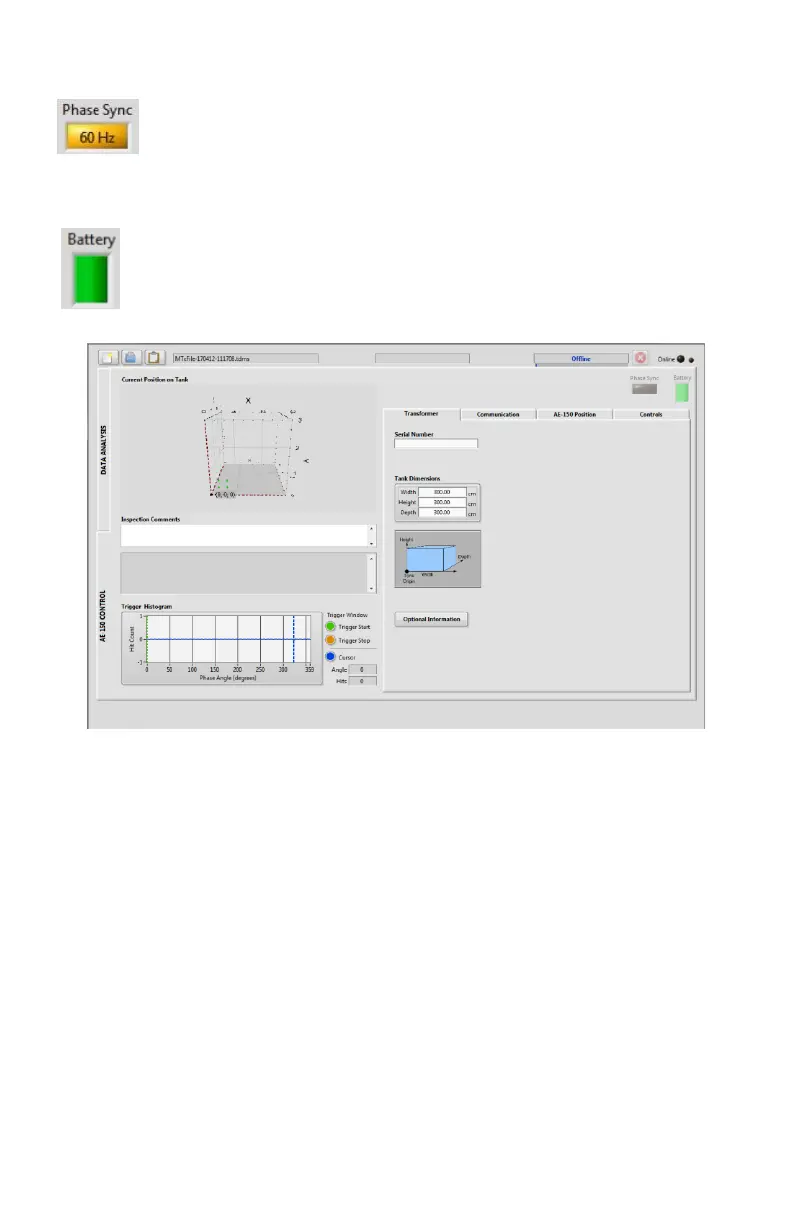
Phase Sync icon : The phase sync icon is colored yellow the frequency
is indicated when the wireless synchronization module is
communicating with the AE-150 main module. It is greyed out when
no synchroniszation is available.
Battery icon: The battery icon displays the AE-150’s battery level.
o Transformer tab: The Transformer tab is used to type the transformer
information such as :
Serial number: Type the serial number of the transformer under
test.
Tank dimensions: Type the transformer dimensions (width, height
and depth).
Optional Information: Clicking this button opens a menu where
more information can be entered (Company name, Substation
name, Transformer identifier, Front wall description, General test
comments, and Additional information).


 To Next Page