© Pro Advantage by NDC. All rights reserved
PS-733 Rev 00-3/10 17/23
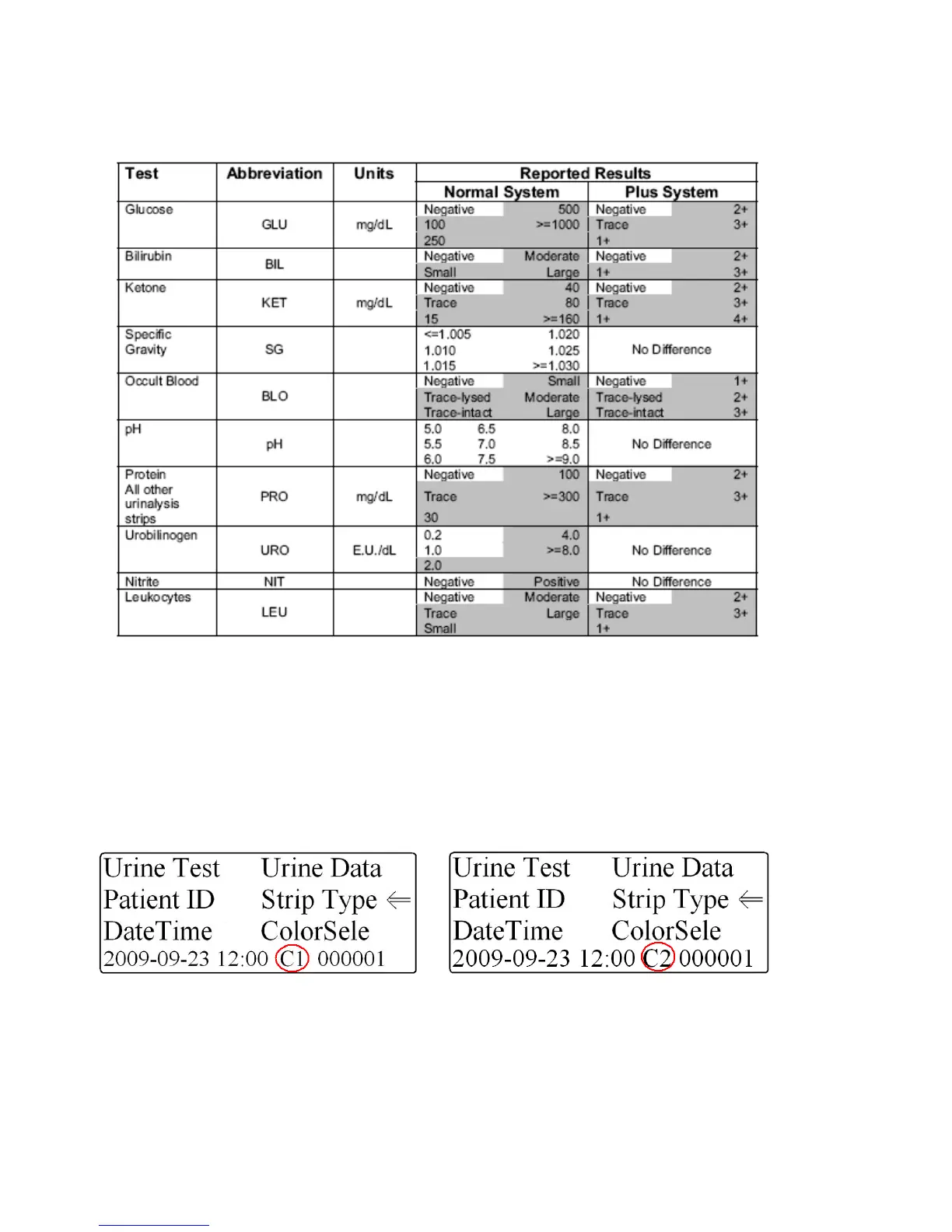
8. Table of Results
Table 1: English – Conventional Units (C1 & C2)
How to change the printed/displayed units
The Pro Advantage Urine Analyzer has the ability to change the units in which the results are displayed and
printed.
1. Start at the Main Menu screen and hold the “DOWN” selection key and press the “NO” key
2. The units will change from C1 to C2 to S1 or S2 (see Fig. 24 and 25).
C1 – English – Conventional (Normal System)
C2 – English – Conventional (Plus System)
Figure 24: Conventional Units (Standard) Figure 25: Conventional Units (Plus)


 To Next Page