Connecting IOR to Home Care Phone NEO
The home care phone NEO can be programmed to receive alarms sent
by IOR when a particular input on IOR is activated.
There are 8 alarm receiver positions in NEO. Choose one position
depending on what alarm type that is appropriate.
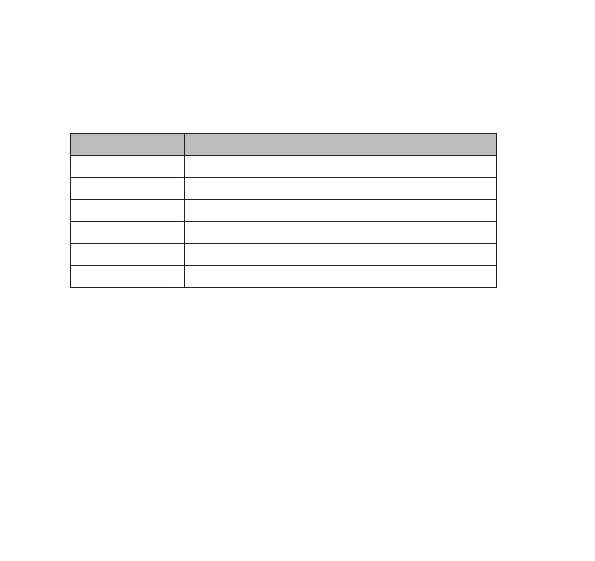
Position (P) Default Alarm Type in NEO
1-3 User alarm
4 Smoke detection alarm
5 Door alarm
6 Bed alarm
7 Carpet alarm
8 Passive alarm
To program alarms triggered by one input on IOR into receiver position
P on NEO, perform the following steps:
1. Press and hold the grey button on NEO while switching NEO on.
2. Wait until
P beeps are heard, then release the button.
3. Activate the input on IOR or press the button inside IOR
once for input 1, twice for input 2 etc, with no more than 1 second
between each button press (see footnote on page 11).
4. The LED inside IOR flashes to indicate that the radio code is
transmitted. Then the home care phone sounds to indicate that
the radio code from IOR is stored.
12


 To Next Page