9
Output
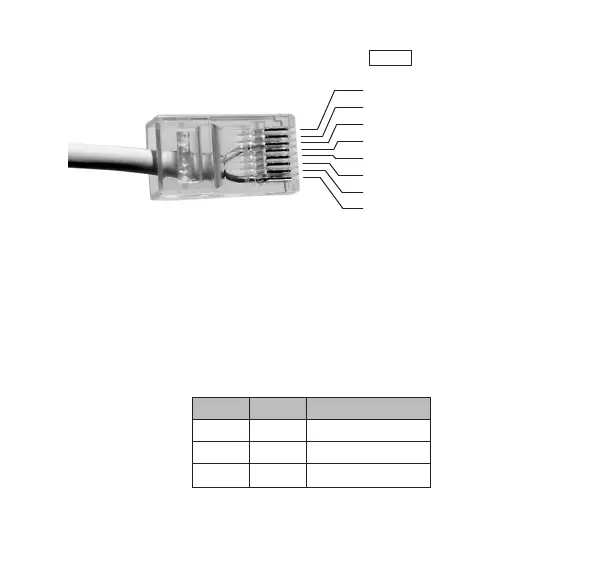
The output is connected to the jack marked
OUT
. The pin layout is
shown in the picture below.
The output can be configured in one of the following three modes.
Pulse In this mode the output relay will be closed for 3 seconds
mode when an alarm is received (see foot-note).
Toggle In this mode the output relay will change state when an alarm
mode is received.
Static In this mode the output state will only change when special
mode on and off commands are received from the home care phone.
The output mode is configured by jumpers J4 and J5 inside IOR.
J4 J5 Output Mode
OFF OFF Pulse mode
OFF ON Toggle mode
ON OFF Static mode
1. DC +5-9V output
2. DC +3V output
3. Output common
4. Output normally closed
5. Output normally open
6. Not connected
7. Not connected
8. Ground
Note: IOR Programmer can be used to change the time
that the relay is closed in pulse mode, see page 7.


 To Next Page