English - 8
I nst allat ion Ex a m ple
1 . I nst alla tion loca tion
Before t he inst allation, be sure t o review the following safety precautions to ensure proper and safe
inst allation.
CAUTI ON
• Ask a t echnician to perform the installat ion.
• Make sure the product is m oved and installed by enough people to ensure safety.
• Make sure that the beam s or t he ot her st ructures t o which t he product is inst alled have enough strength t o
support the weight of the product, and make sure that the product is securely xed.
• Do not inst all directly the product t o a surface that has not enough st rengt h.
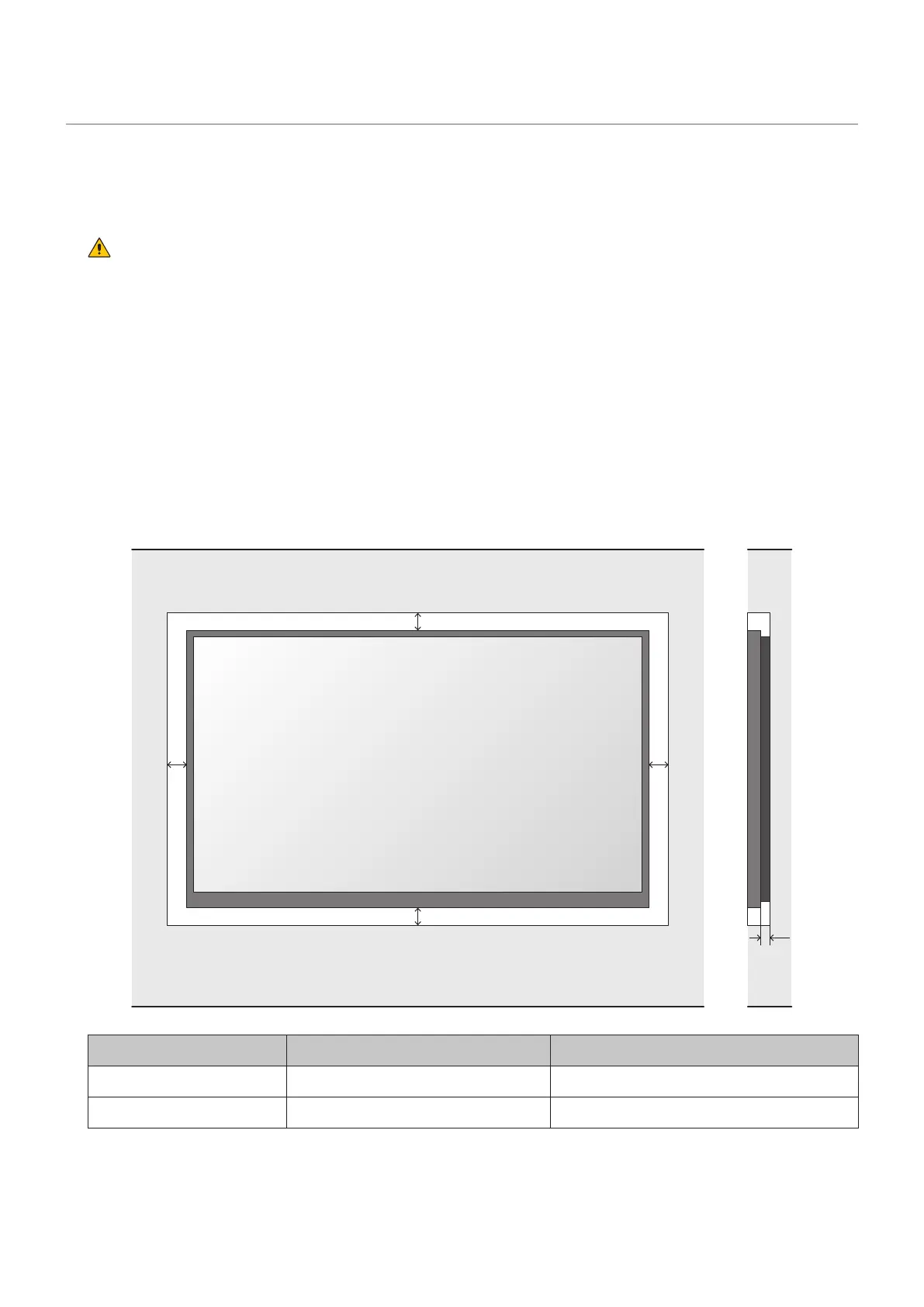
• When inst alling t he product in a narrow place ( in a wall, etc.), leave gaps around t he LED screens as
shown in the gure below to prevent an increase in the temperature. The gure below is only an example.
Pay particular at t ention t o the installat ion environm ent ( heat from t he ext ernal environm ent , direct
sunlight, heat generat ed by the num ber of displays) in order t o facilit ate cooling of t he LED m odules.
If cooling is not sufcient, take measures, such as increasing the distance from the walls or installing a
forced- air cooling syst em .
Ask a technician or your retailer for m ore det ails.
A B C
m in distance t o sides m in. dist ance t o t op and bott om Distance bet ween wall and system
60 m m 60 m m 20 m m



 To Next Page