English - 40
Maint enance
CAUTI ON
• Disconnect t he power supply t o t he LED m odules when perform ing t he m aint enance.
• Use t he correct screwdriver for t he shape of t he screws when rem oving ( loosening) or setting (tightening)
the scr ews.
Pay at tent ion not t o drop t he screws and t he ot her part s you have rem oved.
Pay at tent ion not t o lose the rem oved screws since they will be reused.
Rem oving a pix el ca r d
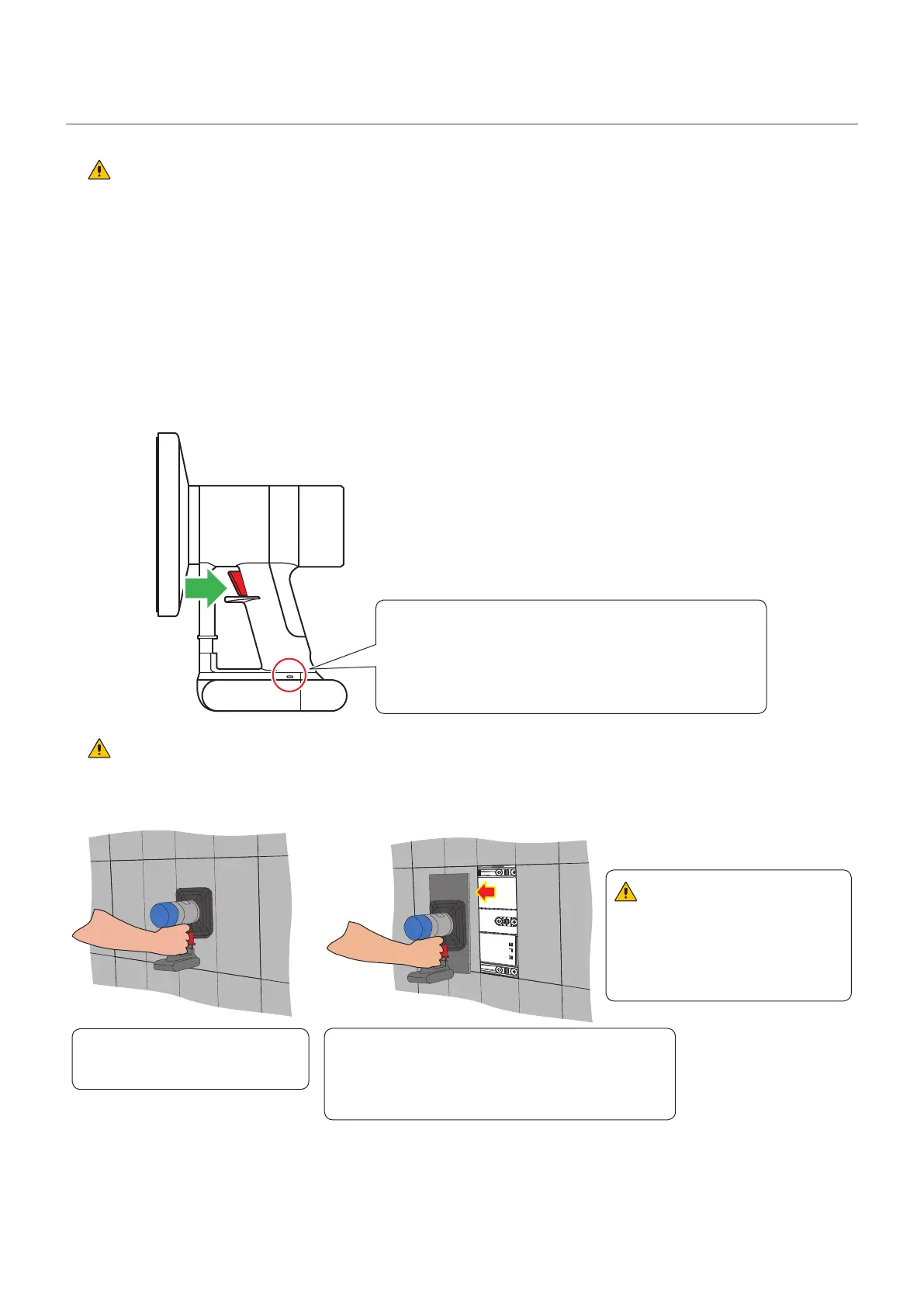
Rem ove t he pixel card using the m aintenance t ool.
Pull t he t rigger of t he handle t o activat e t he suction funct ion. Release t he trigger t o st op the suct ion
function.
St atus displa y
- Lit blue: I n operat ion
- Flashing blue: Bat t ery is low.
Charge t he tool using t he AC adapt er
supplied wit h t he m aintenance t ool.
CAUTI ON :
Check that t he bat t ery of the m aintenance t ool is fully charged before st art ing t he work. Pixel card falls if t he
bat t ery runs out . Hold t he pixel card with your hand t o support in case it falls.
(1) Push t he m aintenance t ool
against t he pixel card wit hout
tur ning it on.
(2) Turn t he m aintenance t ool on, and t hen pull it
st raight toward you t o rem ove the pixel card.
Keep t he m aint enance tool t urned on.
(3) Hold t he pixel card, and t hen t urn t he
m aint enance tool off.
CAUTI ON :
Do not t urn the m aint enance
tool off until you hold the pixel
card.
Ot herwise, t he pixel card m ay
fall and break.



 To Next Page