English - 27
4 . I nst alling t he pixe l card
CAUTI ON
• The pixel cards cont ain powerful m agnet s. I f m agnetic cards com e close t o t he pixel cards, the data
cont ained wit hin m ay be dam aged. Therefore, do not carry any m agnet ic card when installing the pixel
cards.
• When inst alling t he pixel cards, pay at t ention not t o dam age t hem against t he pixel cards already installed
or ot her obj ects. Ot herwise, the video m ay not be displayed properly.
• Take m easures against st at ic electricity w hen installing t he pixel card. Do not t ouch t he LED display areas
and t he back of the pixel card.
• Check t hat t he power supply t o the LED m odules is cut before st art ing t he work.
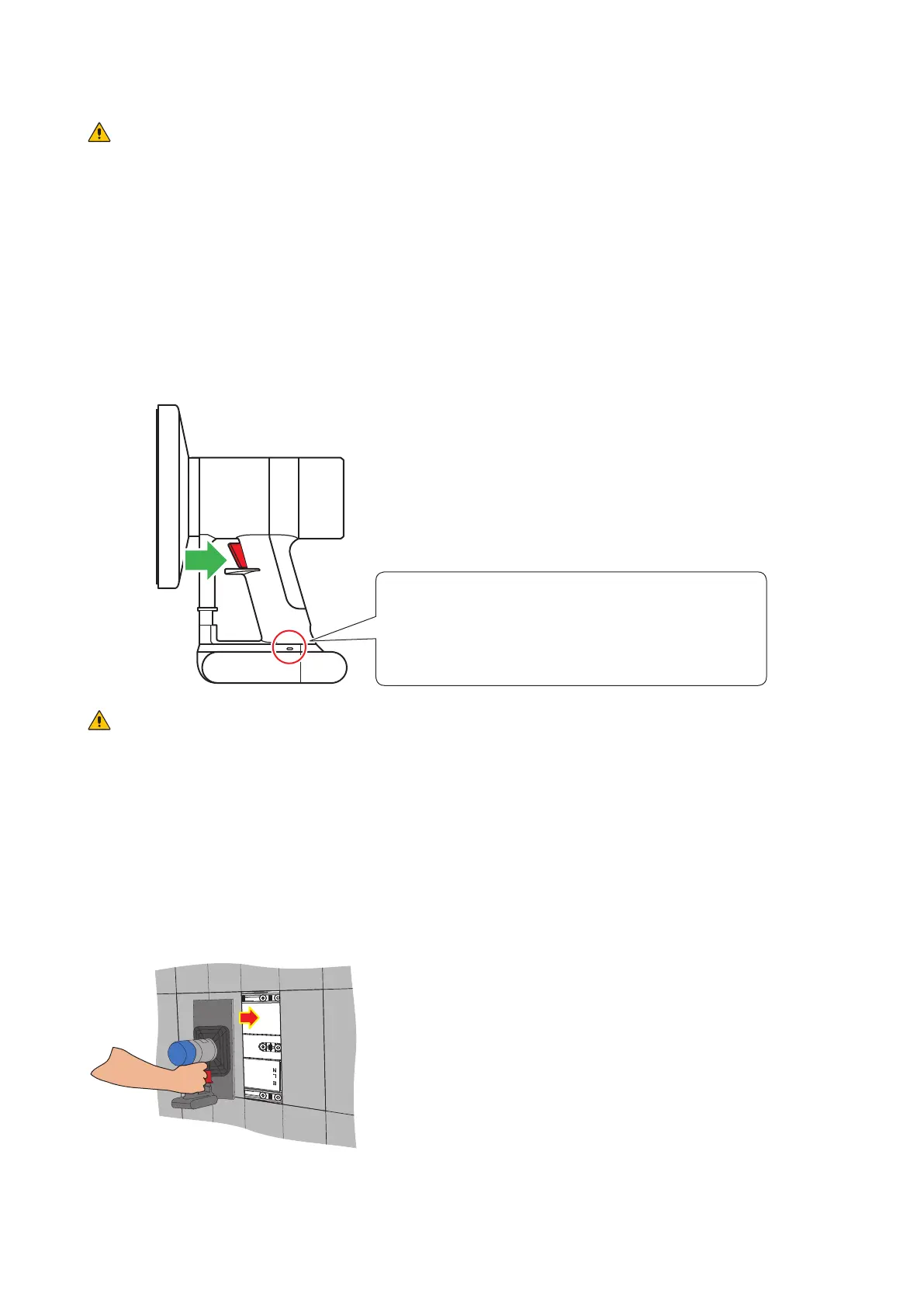
I nst all the pixel card using the m aint enance tool.
Pull t he trigger of t he handle t o activate t he suction funct ion. Release t he trigger t o stop t he suct ion funct ion.
St atus displa y
- Lit blue: I n operat ion
- Flashing blue: Bat t ery is low.
Charge t he tool using t he AC adapt er
supplied wit h t he m aintenance t ool.
CAUTI ON
Check that t he bat t ery of the t ool is fully charged before st art ing t he work. The pixel card w ill fall if the
bat t ery runs out . Light ly hold the pixel card wit h your hand to prevent it from falling.
(1) Push t he m aint enance t ool against t he pixel card w ithout turning it on.
(2) Turn t he m aint enance t ool on and t hen install t he pixel card t o t he cabinet paying att ent ion that the
arrows on t he back of t he pixel card and on the hub board are orient ated t oward the sam e direct ion,
and t hat t he two guide pins of the pixel card are aligned t o the guide holes of t he cabinet (t wo for each
pixel card) .
The pixel card is secured by the 14 m agnet s on each cabinet.



 To Next Page