English - 29
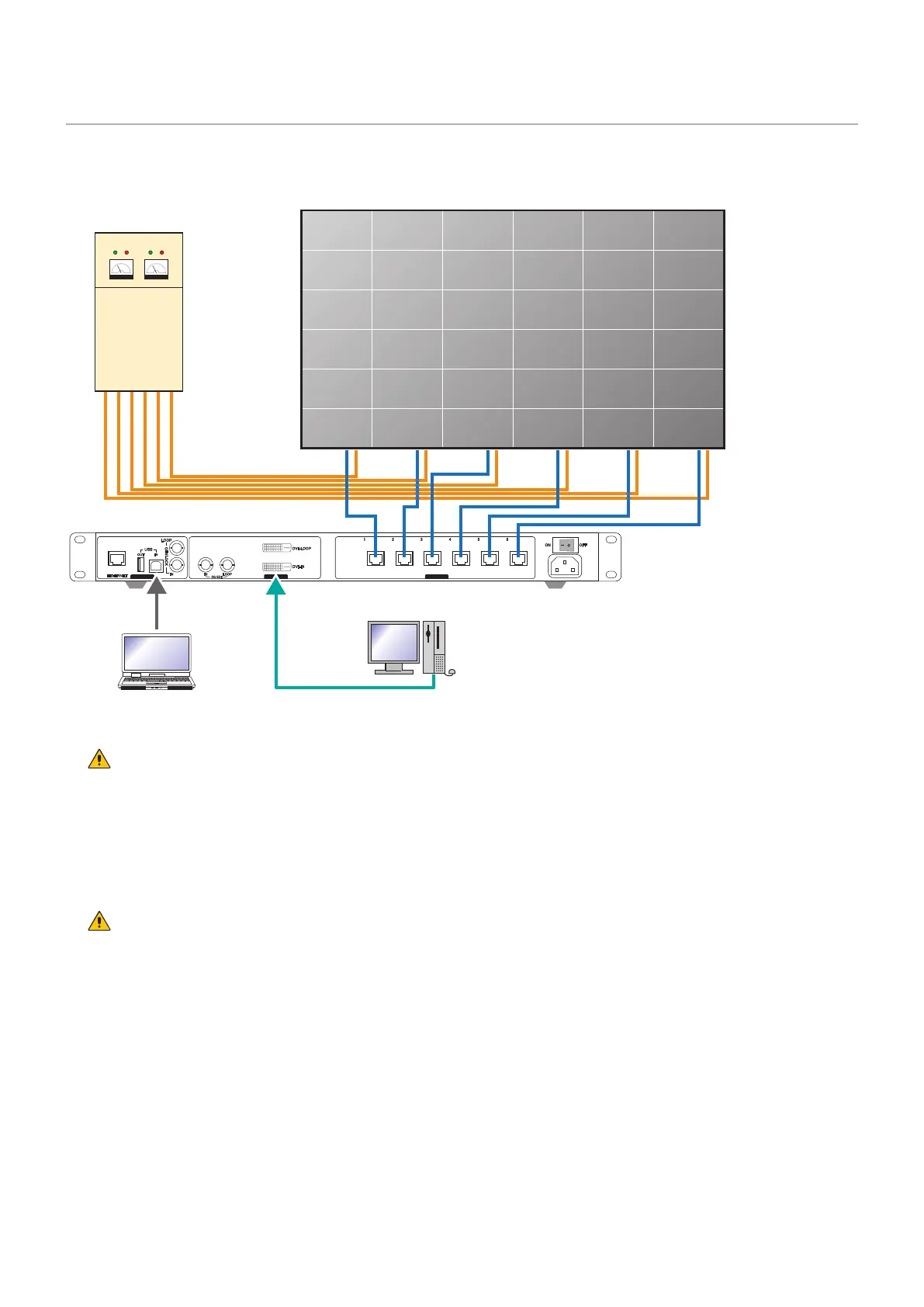
Screen Conguration
Check t hat all the connections are com plet ed, and t hen t urn on the LED m odules and the LED
cont roller.
CONTROL INPUT OUTPUT
Power dist ribut or
Video signalCont rol signal
LED controller
W ARN I N G
Pay at tent ion t o t he wire colors of the power cord when connect ing t he cord. I f t he cables are not connect ed
correctly, it may lead to a re or an electrical shock.
Blue ( N)
Brown ( L)
Yellow green ( Ground)
CAUTI ON
When using LAN cables of 60 m to 100 m in lengt h, t he product m ay not operate correct ly depending on t he
quality of the cables. In such a case, it is recommended to use optical-ber cables.
Ask a technician or your retailer for m ore det ails.



 To Next Page