English - 30
Setting the screen conguration
Perform t he setting using t he LCT-Mars cont rol soft ware by Novast ar.
Log in wit h the adm inistrat or privileges.
Display t he login screen as follows: User( U) → Advanced Synchronous Syst em UserLogin( A).
Ent er t he password (“ adm in” by default ) t o log in wit h t he adm inistrat or privileges.
To change t he password, go t o User(U) → Change Passw ord( U) wit h the adm inist rator privileges.
CAUTI ON
Do not forget the new password after it has been changed.
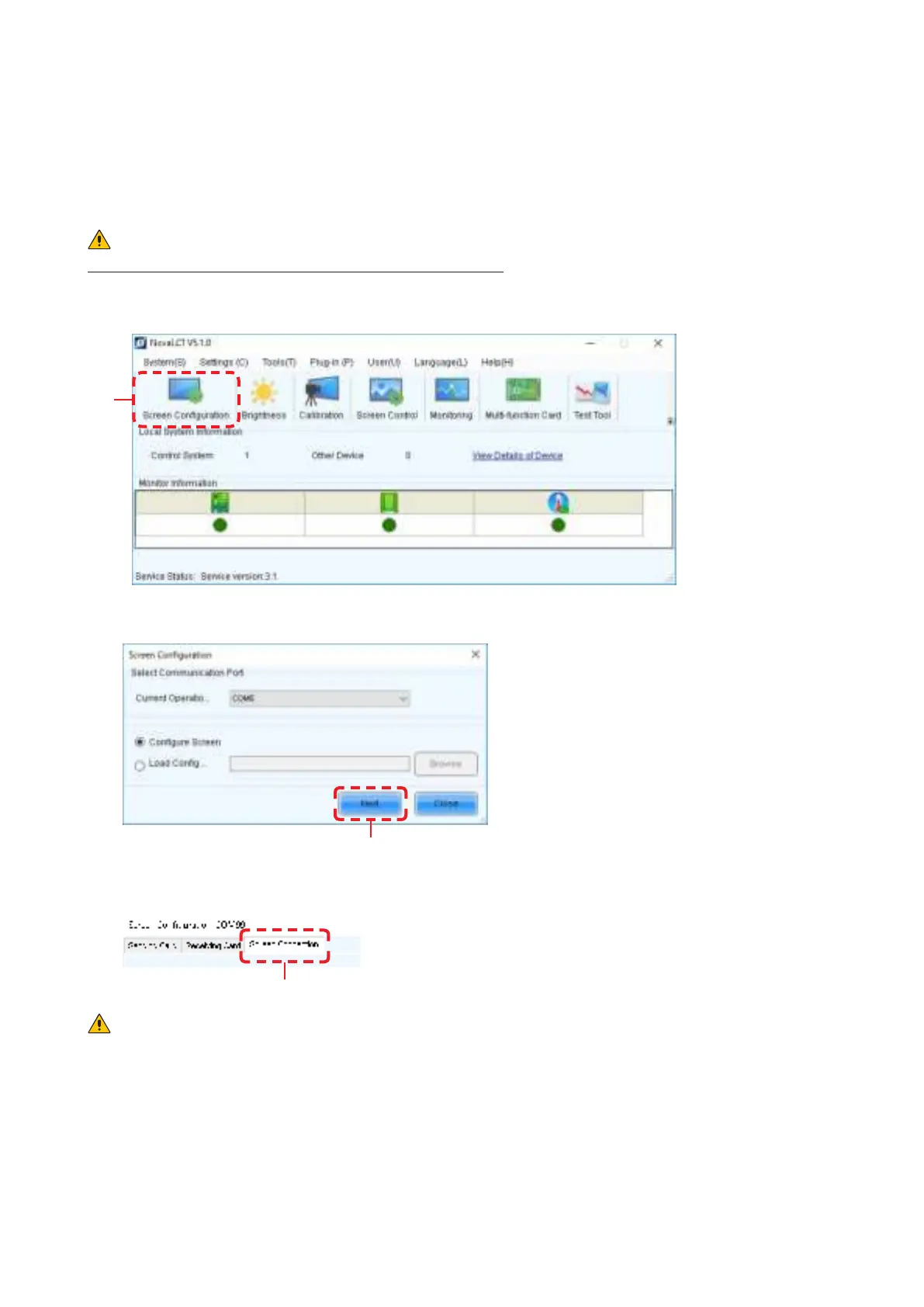
Click “Screen Conguration” (a).
(a)
Check the port in “ Select Com m unication Port”, and t hen click t he “Next ” but ton ( b).
(b)
In the Screen Conguration screen that is displayed, select the “Screen Connection” tab (c).
(c)
CAUTI ON
Do not change the set t ings in t he “ Receiving Card” tab.
Ot herwise, t he video m ay not be displayed properly.



 To Next Page