English - 41
Rem oving t he pow e r supply
Disconnect t he LAN cable connect ed to t he hub board.
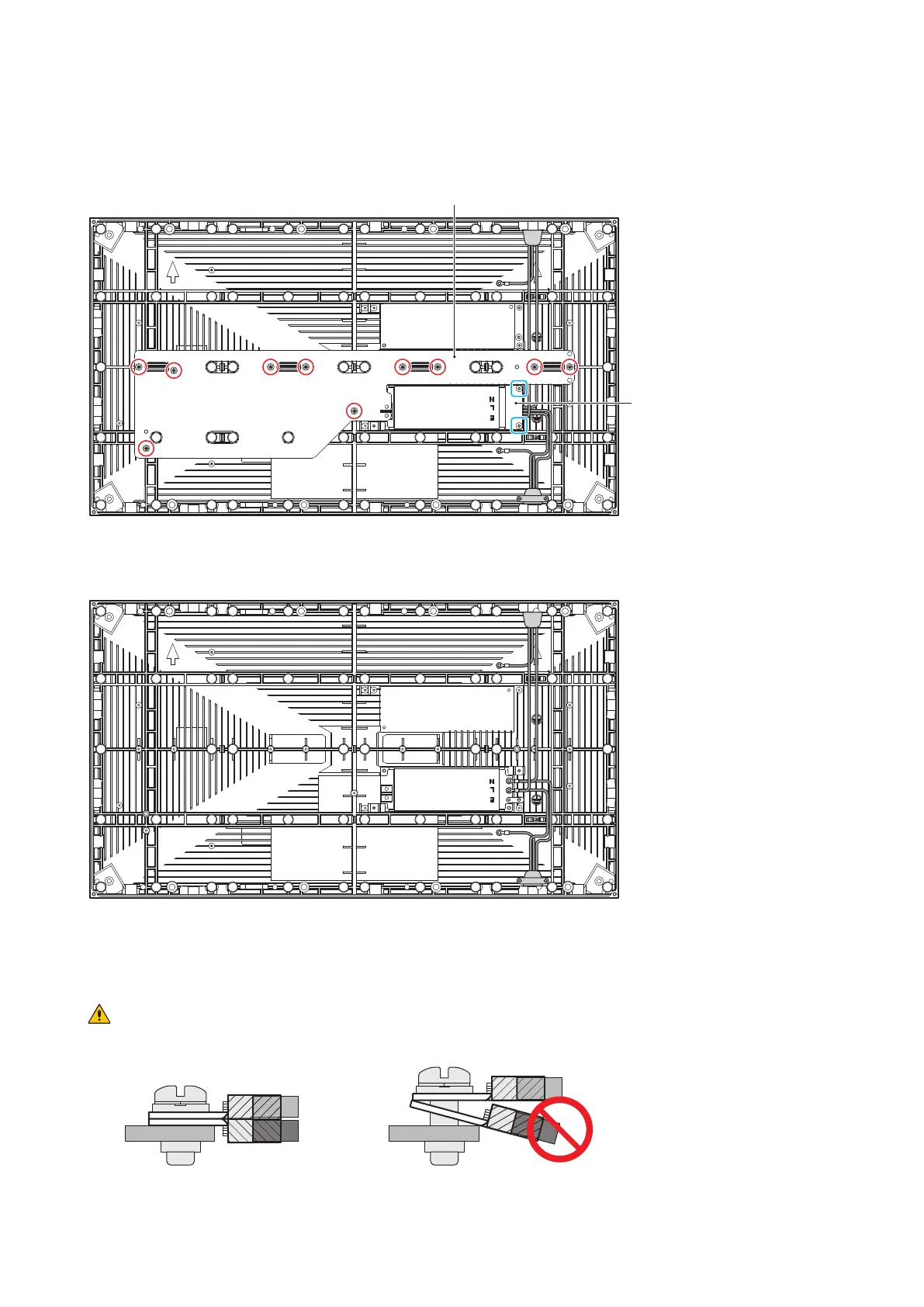
Rem ove t he 10 screws securing the hub board, and then rem ove t he hub board. Then, rem ove the
two screws securing the t erm inal cover.
Hub board
Term inal cover
Disconnect t he power cables connected t o t he power supply and rem ove t he two screws securing the
power supply, and t hen rem ove t he power supply.
The power supply inst allat ion is done by following the sam e procedure in the reverser order.
Apply som e t herm al paste on t he back of the power unit you will inst all before inst alling it . Ask your
retailer for m ore det ails on t he types of therm al past e.
CAUTI ON :
When att aching t wo cables wit h one screw, place t he ring t erm inals of t he cables back t o back.
OK N G



 To Next Page