E-39
PROJECTING AN IMAGE
Selecting a Source
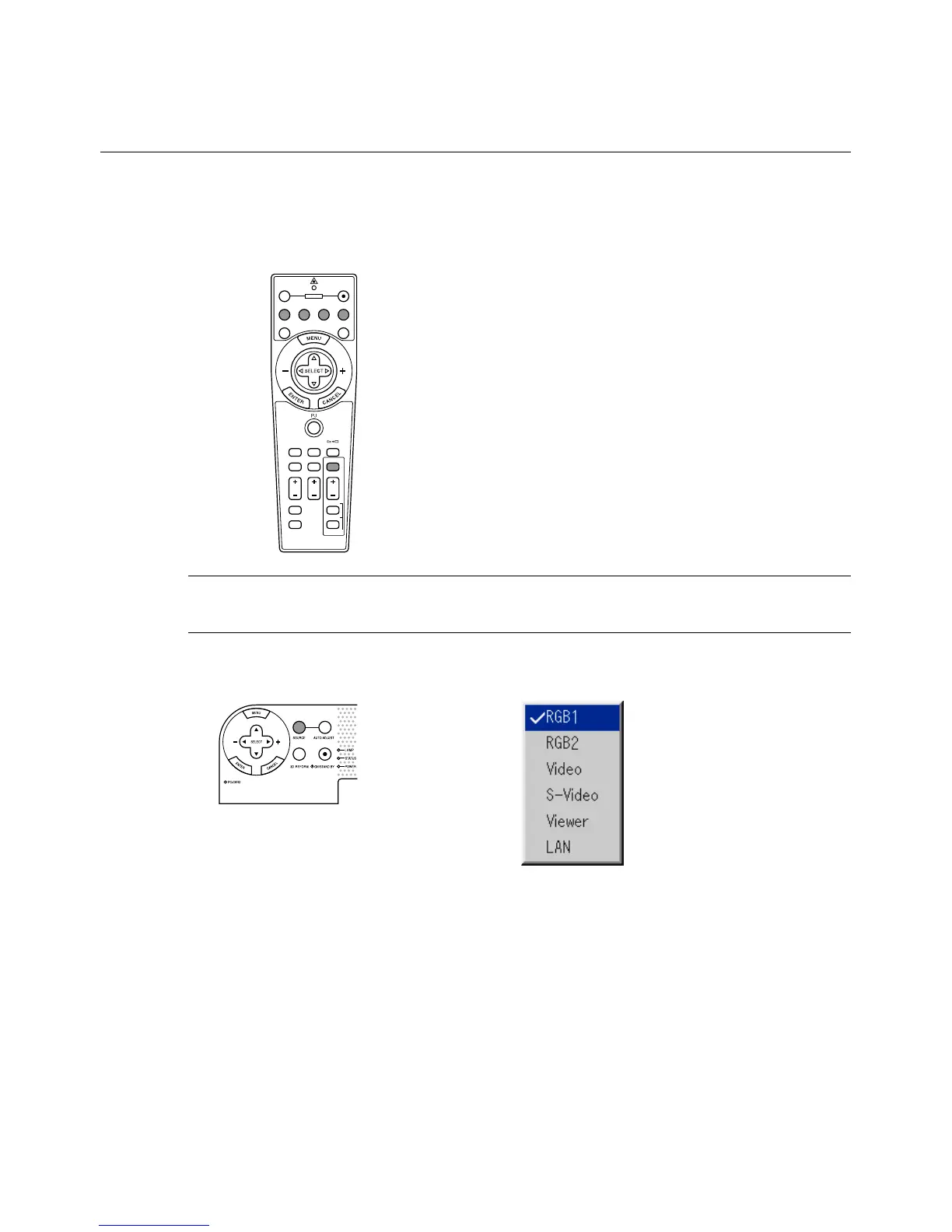
Selecting the computer or video source
Using the Remote Control
ASPECT
OFF
VIDEO
AUTO ADJ.
S-VIDEO RGB1 RGB2
LASER
ON
3D REFORM
HELP
POINTER
VOLUME MAGNIFY
PICTURE
PIC-MUTE
VIEWER
SLIDE
FOLDER
SLIDE
LIST
POWER
FREEZE
NOTE: If no input signal is available, the projector will display a blue back-
ground (factory preset).
Selecting from Source List
Press any one of the RGB1,
RGB2, VIDEO, S-VIDEO or
VIEWER buttons.
Press and quickly release the SOURCE button on the projector cabi-
net to display the Source list. Each time the SOURCE button is pressed,
the input source will change as follows: "Video" (VCR, document cam-
era, or laser disc player), S-Video", "RGB1" or "RGB2" (computer or
DVD with component output) , "Viewer" (slides on a PC card), or "LAN"
(wired or wireless signal aired from a PC).
To display the selected source, press the ENTER button.
Source List



 To Next Page