E-7
INTRODUCTION
⬎
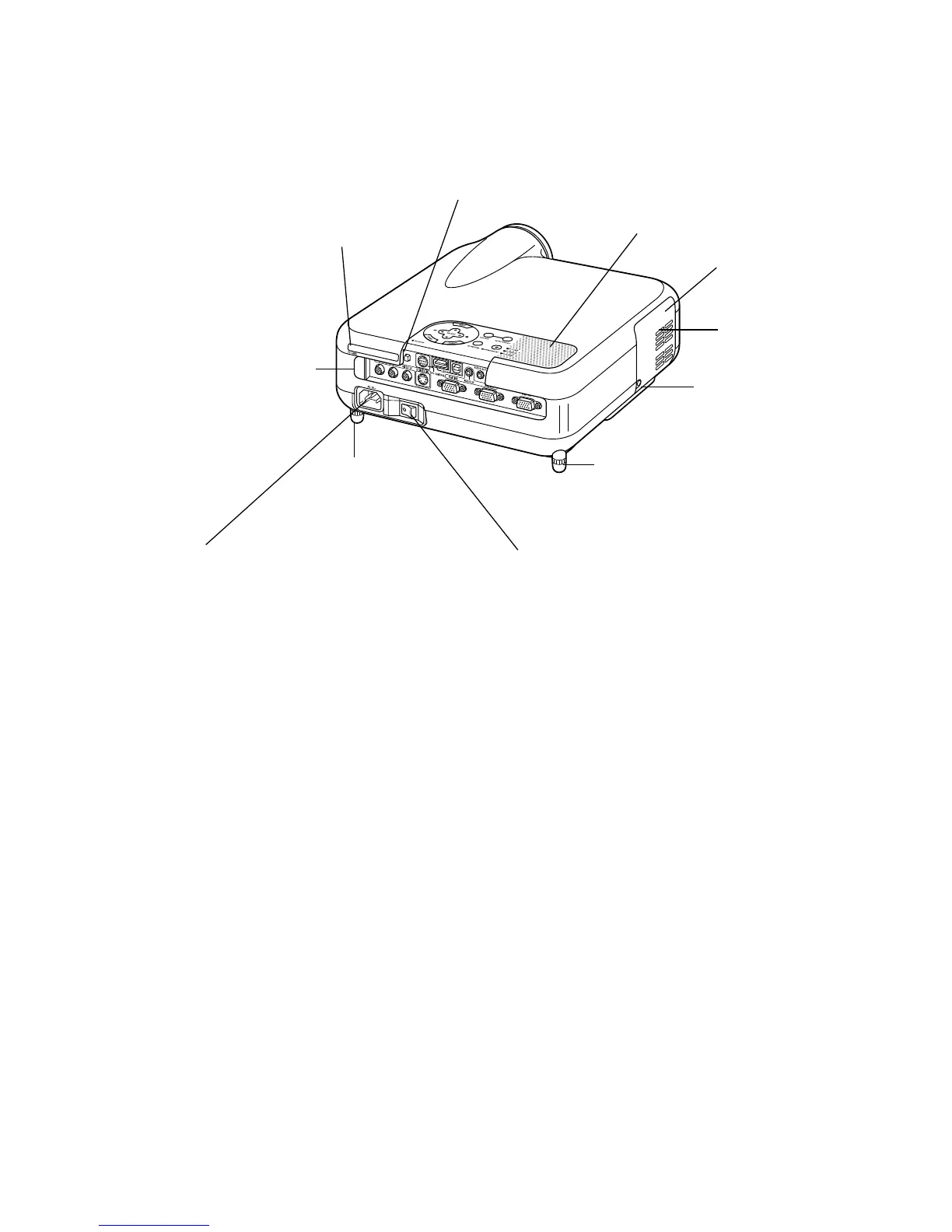
Part Names of the Projector
Monaural Speaker (2W)
AC Input
Connect the supplied power cable's three-pin
plug here, and plug the other end into an active
wall outlet.
(See page E-35)
Main Power Switch
When you plug the supplied power cable into an ac-
tive wall outlet and turn on the Main Power switch,
the POWER indicator turns orange and the projector
is in standby mode.
(See page E-36)
Remote Sensor
(See page E-20)
PC Card Slot
Rear Foot
Ventilation
(outlet)
Lamp cover screw
Rear Foot
Rotate to make the projector level.
(See page E-43)
PC Card Eject Button
Lamp cover
(See page E-121)



 To Next Page