85
5. Using On-Screen Menu
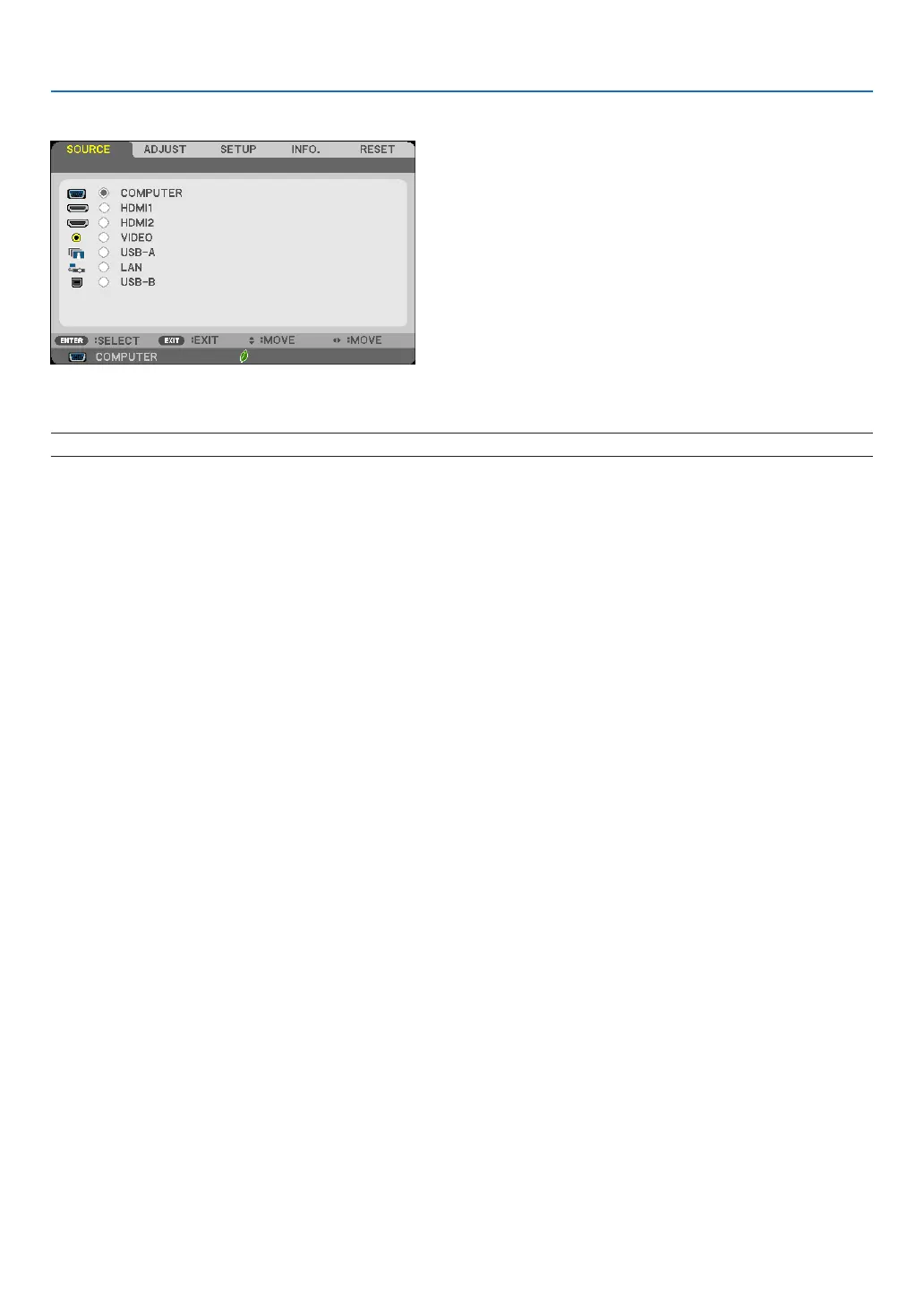
❹ Menu Descriptions & Functions [SOURCE]
COMPUTER
SelectsthecomputerconnectedtoyourCOMPUTERinputconnectorsignal.
NOTE:WhenthecomponentinputsignalisconnectedtotheCOMPUTERINconnector,select[COMPUTER]respectively.
HDMI1 and 2
SelectstheHDMIcompatibleequipmentconnectedtoyourHDMI1orHDMI2INconnector.
VIDEO
SelectswhatisconnectedtoyourVIDEOinput-VCR,DVDplayerordocumentcamera.
USB-A (Viewer)
ThisfeatureenablesyoutomakepresentationsusingaUSBmemorythatcontainsslides.
(→page72“4.UsingtheViewer”)
LAN
SelectsasignalfromtheLANport(RJ-45)ortheinstalledUSBwirelessLANunit(optional).
USB-B (USB Display)
SelectsthecomputerconnectedtotheUSB-Bport(typeB)byusingacommerciallyavailableUSBcable.
(→page45)


 To Next Page