EasyManua.ls Logo

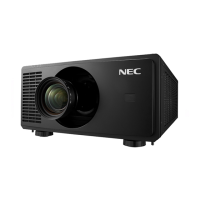
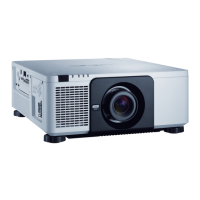
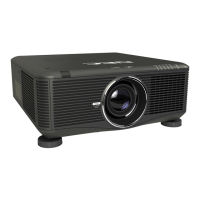
NEC PX750U - User Manual

NEC PX750U
243 pages
Print Icon
To Next Page IconTo Next Page
Loading...
Projector
PX750U
User’s Manual
Model No.
NP-PX750U, NP-PX750UG
• Theprojector’sModelNo.indicatedontheprojector’slabelisNP-
PX750UandNP-PX750UGrespectively.
Allthemodels are referredtoasPX750Uthroughouttheuser’s
manualexceptthespecicationpages.

Table of Contents

Other manuals for NEC PX750U

Questions and Answers

  • L
    Lauren SandersAug 20, 2025
    What to do if my NEC Projector has no picture?
    • S
      Scott JohnsonAug 20, 2025
      If your NEC Projector displays no picture, ensure the correct input is selected. If the issue persists, press the SOURCE button or any input button again. Check that all cables are securely connected. Adjust brightness and contrast in the menu settings. Also, make sure the lens cover is open. If the HDMI or DisplayPort signal isn't showing, try reinstalling or updating your graphics card driver.
  • M
    Matthew DayAug 22, 2025
    How to fix a blurred picture on my NEC PX750U?
    • P
      Patrick McbrideAug 22, 2025
      To fix a blurred picture on your NEC Projector, start by adjusting the focus. Reposition the projector to improve its angle to the screen. Ensure the distance between the projector and the screen is within the lens's adjustment range. If the projector was cold and brought into a warm environment, condensation may have formed on the lens. Let the projector stand until the condensation clears.
  • D
    Dustin OsborneAug 25, 2025
    Why is my NEC Projector remote control not working?
    • J
      Jennifer KhanAug 25, 2025
      If your NEC Projector remote control isn't working, first, install new batteries. Ensure there are no obstructions between the remote and the projector. Make sure you are within 22 feet (7 m) of the projector.
  • L
    larsenjillAug 27, 2025
    How do I square the image on my NEC PX750U screen?
    • J
      Joseph SnowAug 27, 2025
      To square the image on your NEC Projector screen, reposition the projector to improve its angle relative to the screen. Use the Keystone correction function to correct any trapezoid distortion.
  • H
    Helen HaysAug 28, 2025
    What to do if the lamp does not light on my NEC Projector?
    • A
      Alexander WilliamsAug 28, 2025
      If the lamp on your NEC Projector does not light, wait at least one minute, then turn the power back on. If the lamp still does not light, contact an NEC projector customer support center.
  • J
    Jason HernandezAug 29, 2025
    Why does my NEC PX750U Projector screen flicker?
    • G
      Gary VazquezAug 29, 2025
      If your NEC Projector screen flickers, and you are using it at altitudes approximately 5500 feet/1600 meters or lower, set the [FAN MODE] to a setting other than [HIGH ALTITUDE]. Switching [FAN MODE] to [AUTO] should resolve this issue.
  • C
    carsonpaulaAug 31, 2025
    What happens when the lamp usage time is exceeded on my NEC PX750U Projector?
    • J
      Jillian MendozaAug 31, 2025
      When the lamp usage time on your NEC Projector has been exceeded, the projector’s power cannot be turned on until the lamp is replaced.
  • S
    Sarah BushSep 2, 2025
    Why does my NEC PX750U Projector turn off unexpectedly?
    • N
      nstrongSep 2, 2025
      If your NEC Projector turns off unexpectedly, ensure that the [OFF TIMER], [AUTO POWER OFF], and [PROGRAM TIMER] settings are disabled.
  • X
    xgreenSep 4, 2025
    Why does my NEC PX750U Projector have an unusual color tone or hue?
    • C
      Craig LeeSep 4, 2025
      If your NEC Projector displays an unusual color tone or hue, check the [WALL COLOR] setting and select the appropriate option. You can also adjust the [HUE] setting in the [PICTURE] menu.
  • S
    Sherri MurraySep 6, 2025
    Why is the image scrolling on my NEC Projector?
    • T
      Timothy EllisonSep 6, 2025
      If the image on your NEC Projector is scrolling vertically, horizontally, or both, check your computer’s resolution and frequency to ensure they are supported by the projector. You can also manually adjust the computer image with the Horizontal/Vertical settings in the [IMAGE OPTIONS].

Summary

4. Using the Viewer

❸ Projecting images stored in a USB memory device

Guides on how to project images from a USB device using the viewer.

❹ Projecting data from shared folder

Explains how to project files from a shared network folder.

❺ Projecting data from media server

Details how to project files from a media server on the network.

5. Using On-Screen Menu

 Using the Menus

Provides instructions on navigating the projector's on-screen menu system.

Important Information

Safety Cautions

Highlights essential safety precautions for using the projector.

1. Introduction

2. Projecting an Image (Basic Operation)

 Flow of Projecting an Image

Outlines the step-by-step process for projecting an image.

2 Connecting Your Computer;Connecting the Power Cord

Explains how to connect the computer and power cord.

3 Turning on the Projector

Details the procedure for powering on the projector.

4 Selecting a Source

Describes how to select the input source for the projected image.

6. Installation and Connections

 Making Connections

Details how to connect various external devices to the projector.

7. Maintenance

4 Replacing the Lamp and the Filters

Guides on replacing the projector lamp and filters.

8. User Supportware

9. Appendix

8 Troubleshooting

Offers solutions for common problems encountered while using the projector.

NEC PX750U Specifications

General IconGeneral
Projection distance0.9 - 20.8 m
Vertical scan range48 - 120 Hz
Horizontal scan range15 - 108 kHz
Projection technologyDLP
Contrast ratio (typical)2000:1
Screen size compatibility40 - 500 \
Projector native resolutionWUXGA (1920x1200)
Power LEDYes
Aspect ratio-
RS-232 ports1
Dimensions (WxDxH)504 x 516 x 192 mm
Connectivity technologyWired
Maximum digital resolution1920 x 1200 pixels
Focal length range- mm
Lamp power400 W
Lamps quantity2 lamp(s)
Light source typeLamp
Lamp power (economic mode)320 W
Service life of light source1500 h
Service life of light source (economic mode)2000 h
USB connector typeUSB Type-A
Serial interface typeRS-232
USB 2.0 ports quantity2
VGA (D-Sub) ports quantity3
Ethernet LANNo
Ethernet LAN (RJ-45) ports0
Supported video modes1080i
Analog signal format systemNTSC, NTSC 4.43, PAL, PAL 60, PAL M, PAL N, SECAM
Supported graphics resolutions720 x 480, 720 x 576, 832 x 624, 1152 x 870, 1024 x 768 (XGA), 1280 x 1024 (SXGA), 1280 x 720 (HD 720), 1400 x 1050 (SXGA+), 1600 x 1200 (UXGA), 1920 x 1080 (HD 1080), 640 x 480 (VGA), 800 x 600 (SVGA)
Product typeLarge venue projector
Product colorBlack
AC input voltage100 - 240 V
AC input frequency50 - 60 Hz
Power consumption (standby)- W
Noise level40 dB
CertificationCE, TÜV GS, ErP, RoHS
Weight and Dimensions IconWeight and Dimensions
Weight18500 g

Related product manuals