EasyManua.ls Logo

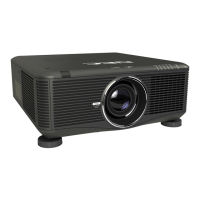
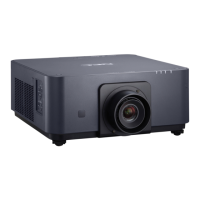
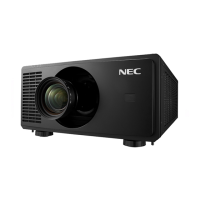
NEC PX1004UL-WH - User Manual

NEC PX1004UL-WH
203 pages
Print Icon
To Next Page IconTo Next Page
Loading...
Projector
PX1004UL-WH/PX1004UL-BK
Users Manual
Please visit our web site for User’s Manual in the latest version.
http://www.nec-display.com/dl/en/pj_manual/lineup.html
Model No.
NP-PX1004UL-WH/NP-PX1004UL-BK

Table of Contents

Questions and Answers

  • J
    justin95Aug 20, 2025
    Why won't my NEC Projector turn on or off?
    • A
      anthonyevansAug 20, 2025
      If your NEC Projector doesn't turn on or shut down, first, ensure the power cord is correctly plugged in and the power button on the projector or remote is on. Second, check for overheating by ensuring sufficient ventilation or moving the projector to a cooler location. Third, the light module may have failed to light; wait a minute before turning it on again. As a last resort, unplug the power cord, wait 5 minutes, and then plug it back in.
  • C
    Christopher GloverAug 22, 2025
    What to do if my NEC PX1004UL-WH Projector has no picture?
    • W
      William ThomasAug 22, 2025
      If your NEC Projector displays no picture, verify that the correct input is selected and your cables are properly connected. Adjust the brightness and contrast in the menu. Also, check that the SHUTTER or AV MUTE buttons are not activated. Ensure the [POWER ON SHUTTER] in the onscreen menu is not set to [CLOSE]. If problems persist, reset the settings to factory defaults using the [RESET] option in the Menu. If the Security function is enabled, enter your registered keyword. Reinstall or update your graphics card driver. Connect the projector and notebook PC while the projector is in standby mode before powering on the notebook PC.
  • M
    Maria DaughertyAug 25, 2025
    Why is my NEC PX1004UL-WH remote control not working?
    • R
      Ryan JarvisAug 25, 2025
      If the remote control for your NEC Projector isn't working, try installing new batteries. Ensure there are no obstructions between the remote and the projector. Also, make sure you are within 22 feet (7 m) of the projector.
  • B
    briggsbarbaraAug 26, 2025
    Why does my NEC PX1004UL-WH keep turning off?
    • N
      Nicholas RussellAug 27, 2025
      If your NEC Projector keeps turning off, make sure that the [OFF TIMER], [AUTO POWER OFF] or [PROGRAM TIMER] settings are disabled.
  • D
    Daniel BartonAug 28, 2025
    How to fix a blurred picture on my NEC Projector?
    • J
      Joyce BerryAug 28, 2025
      If the picture on your NEC Projector is blurred, start by adjusting the focus. Reposition the projector to improve its angle to the screen. Make sure the distance between the projector and the screen is within the lens's adjustment range and that the lens hasn't been shifted beyond its guaranteed range. If the projector was cold and brought into a warm place, condensation may have formed on the lens. Let the projector stand until the condensation clears.
  • K
    Kara BennettAug 30, 2025
    How to square the image on my NEC PX1004UL-WH screen?
    • J
      Jeffrey HernandezAug 30, 2025
      If the image from your NEC Projector isn’t square to the screen, try repositioning the projector to improve its angle relative to the screen. You can also use the Keystone correction function to correct any trapezoid distortion.
  • K
    Kaitlyn GreeneSep 1, 2025
    What to do if my NEC Projector is in Forced ECO Mode because of high temperature?
    • J
      jonessandraSep 1, 2025
      If your NEC Projector is in Forced ECO Mode due to high surrounding temperature, lower the room temperature.
  • N
    ndiazSep 3, 2025
    Why did the picture on my NEC Projector suddenly become dark?
    • C
      Curtis ConnerSep 3, 2025
      If the picture on your NEC Projector suddenly becomes dark, check to see if it's in Forced ECO mode due to a high ambient temperature.
  • M
    Michele BlackSep 5, 2025
    How to fix the unusual color tone on my NEC PX1004UL-WH?
    • A
      Angela SmithSep 5, 2025
      If the color tone or hue on your NEC Projector is unusual, check if an appropriate color is selected in [WALL COLOR]. You can also adjust the [HUE] in [PICTURE].
  • S
    Shirley WilliamsSep 7, 2025
    Why is the image scrolling on my NEC PX1004UL-WH?
    • B
      Brett RobinsonSep 7, 2025
      If the image on your NEC Projector is scrolling vertically, horizontally, or both, check the computer’s resolution and frequency. You can also manually adjust the computer image using the Horizontal/Vertical settings in the [IMAGE OPTIONS].

NEC PX1004UL-WH Specifications

General IconGeneral
Brightness10, 000 lumens
Contrast Ratio3, 000, 000:1
Light SourceLaser
Weight68.3 lbs (31 kg)
Lamp Life20, 000 hours
TechnologyDLP
ResolutionWUXGA (1920 x 1200)
Native Resolution1920 x 1200 (WUXGA)

Related product manuals