EasyManua.ls Logo

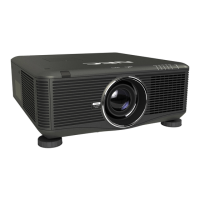
NEC PX700W - User Manual

NEC PX700W
251 pages
Print Icon
To Next Page IconTo Next Page
Loading...
Projector
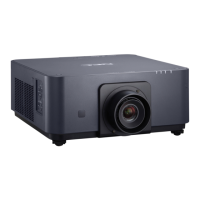
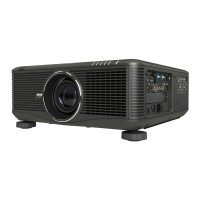
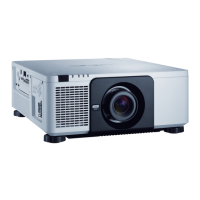
PX750U/PX700W/PX800X
User’s Manual
Model No.
NP-PX750U, NP-PX750UG, NP-PX700W, NP-PX700WG, NP-
PX800X, NP-PX800XG
• Theprojector’sModelNo.indicatedontheprojector’slabelisNP-
PX750U, NP-PX750UG, NP-PX700W, NP-PX700WG, NP-PX800X,
andNP-PX800XGrespectively.
EachmodelisreferredtoasPX750U,PX700W,andPX800Xre-
spectivelyunlessotherwisespecied.

Table of Contents

Other manuals for NEC PX700W

Questions and Answers

  • C
    clairerushAug 16, 2025
    What to do if my NEC Projector does not turn on or shut down?
    • D
      Donald CannonAug 16, 2025
      If your NEC Projector doesn't turn on or shut down, first, check that the power cord is securely plugged in and that the power button on both the projector and remote are switched on. Ensure the lamp cover is correctly installed. Overheating can also cause this issue, so ensure sufficient ventilation or move the projector to a cooler location. If the lamp has reached its end-of-life and you've used the projector for another 100 hours, replace the lamp and reset the lamp hours. If the lamp fails to light, wait a minute before trying to power it on again. When using the projector at high altitudes (above 5500 feet/1600 meters), set [FAN MODE] to [HIGH ALTITUDE].
  • T
    Tammy PerezAug 18, 2025
    Why does my NEC PX700W Projector have no picture?
    • L
      Lori TorresAug 19, 2025
      If your NEC Projector displays no picture, verify that the correct input is selected and that all cables are properly connected. You may also need to adjust the brightness and contrast in the menu. Ensure the lens cover is open. Resetting the settings to factory presets via the [RESET] option in the Menu might help. If the Security function is enabled, enter your registered keyword. For HDMI or DisplayPort signal issues, try reinstalling or updating your graphics card driver. Connect the projector and notebook PC while the projector is in standby mode and before turning on the power to the notebook PC. If the screen goes blank while using your remote control, it may be the result of the computer’s screen-saver or power management software.
  • M
    Mary FitzgeraldAug 22, 2025
    Why does my NEC PX700W turn off by itself?
    • K
      Kelly SolisAug 22, 2025
      If your NEC Projector turns off unexpectedly, make sure that the [OFF TIMER], [AUTO POWER OFF], and [PROGRAM TIMER] settings are disabled.
  • O
    omichaelAug 25, 2025
    Why is the picture blurred on my NEC PX700W Projector?
    • L
      lori73Aug 26, 2025
      If the picture on your NEC Projector is blurred, try adjusting the focus. Ensure that the projector is correctly positioned relative to the screen. Verify that the distance between the projector and screen is within the lens's adjustment range. Consider whether the lens has been shifted beyond its guaranteed range. If condensation has formed on the lens due to temperature changes, allow the projector to stand until the condensation clears.
  • H
    Heather AndersonAug 27, 2025
    What to do if NEC Projector remote control does not work?
    • T
      Thomas LeeAug 28, 2025
      If your NEC Projector remote control isn't working, first, install new batteries. Make sure there are no obstructions between you and the projector. Ensure you are within 22 feet (7 m) of the projector.
  • K
    Kevin SteeleAug 31, 2025
    Why is the color tone unusual on my NEC PX700W?
    • M
      Mary WalkerAug 31, 2025
      If the color tone or hue appears unusual on your NEC Projector, check the [WALL COLOR] setting and select an appropriate color option. Additionally, adjust the [HUE] setting within the [PICTURE] menu.
  • R
    Richard ButlerSep 3, 2025
    How to fix image scrolling vertically or horizontally on NEC PX700W?
    • K
      Kristina GouldSep 3, 2025
      If the image on your NEC Projector is scrolling vertically or horizontally, check the computer’s resolution and frequency settings. You can also manually adjust the image using the Horizontal/Vertical settings in the [IMAGE OPTIONS] menu.
  • T
    Troy FergusonSep 6, 2025
    How to correct a NEC Projector image that isn’t square to the screen?
    • B
      Bryan HallSep 6, 2025
      To correct an image that isn’t square to the screen on your NEC Projector, first, try repositioning the projector to improve its angle relative to the screen. If the image is still distorted, use the Keystone correction function to correct the trapezoid distortion.
  • P
    phaleSep 9, 2025
    How to fix flicker on NEC Projector screen?
    • J
      Jason LiuSep 9, 2025
      If you notice flicker on the screen of your NEC Projector, and you are using it at altitudes approximately 5500 feet/1600 meters or lower, set the [FAN MODE] to a setting other than [HIGH ALTITUDE] mode.
  • A
    Amy BrandtSep 12, 2025
    How to remove cross color in RGB mode on NEC PX700W Projector?
    • D
      David FisherSep 12, 2025
      To eliminate cross color in RGB mode on your NEC Projector, press the AUTO ADJ. button on either the projector cabinet or the remote control. If the issue persists, manually adjust the computer image using the [CLOCK]/[PHASE] settings found in the [IMAGE OPTIONS] menu.

NEC PX700W Specifications

General IconGeneral
BrandNEC
ModelPX700W
CategoryProjector
LanguageEnglish

Related product manuals