97
5. Using On-Screen Menu
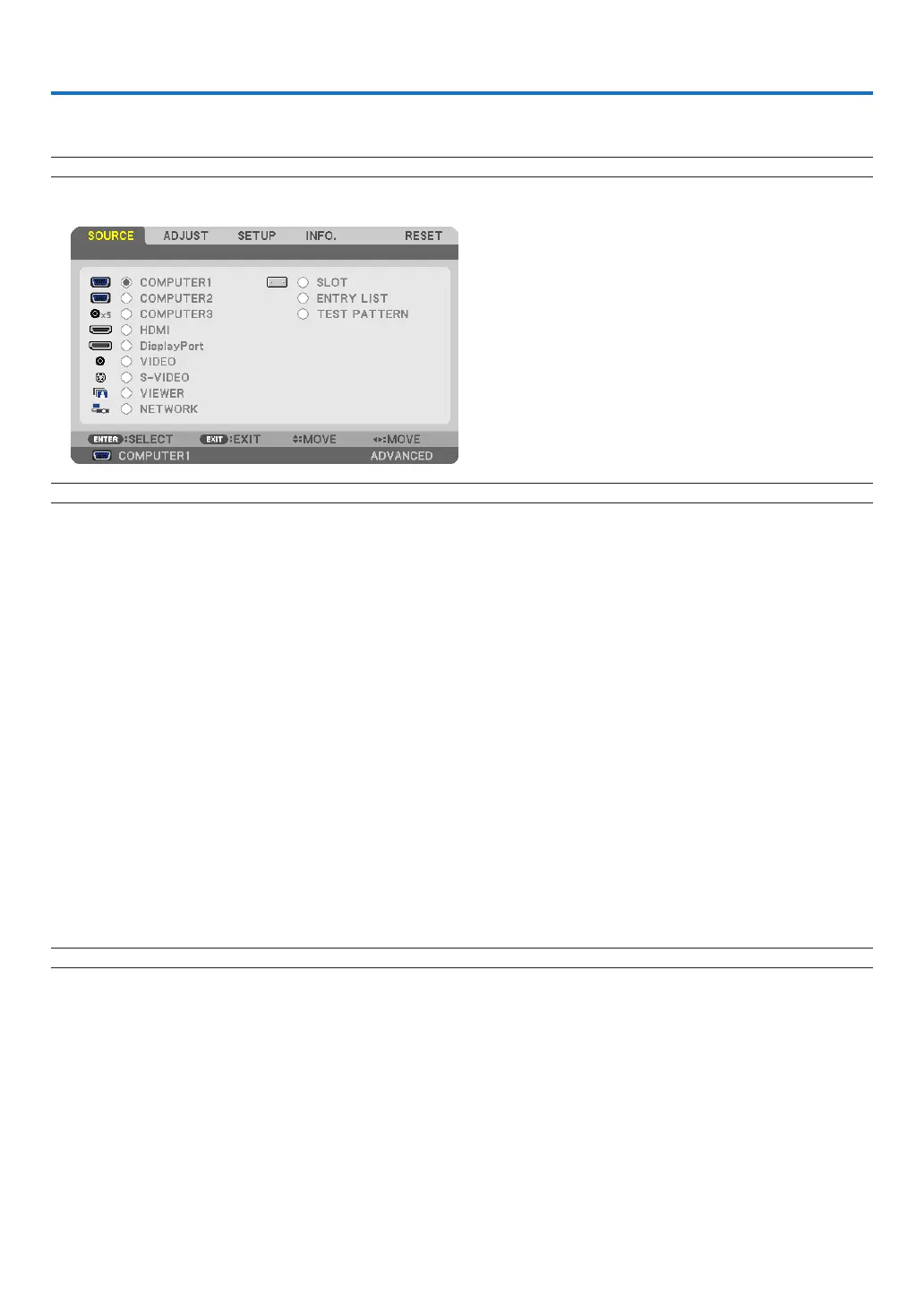
1 Using the Menus
NOTE:Theon-screenmenumaynotbedisplayedcorrectlywhileinterlacedmotionvideoimageisprojected.
1. PresstheMENUbuttonontheremotecontrolortheprojectorcabinettodisplaythemenu.
NOTE: The commands such as ENTER,EXIT,, inthebottomshowavailablebuttonsforyouroperation.
2. Press the buttonsontheremotecontrolortheprojectorcabinettodisplaythesubmenu.
3. PresstheENTERbuttonontheremotecontrolortheprojectorcabinettohighlightthetopitemortherst
tab.
4. Use the buttonsontheremotecontrolortheprojectorcabinettoselecttheitemyouwanttoadjustor
set.
Youcanusethebuttonsontheremotecontrolortheprojectorcabinettoselectthetabyouwant.
5. PresstheENTERbuttonontheremotecontrolortheprojectorcabinettodisplaythesubmenuwindow.
6. Adjustthelevelorturntheselecteditemonoroffbyusingthebuttonsontheremotecontrolor
theprojectorcabinet.
Changesarestoreduntiladjustedagain.
7. Repeatsteps2-6toadjustanadditionalitem,orpresstheEXITbuttonontheremotecontrolortheprojec-
torcabinettoquitthemenudisplay.
NOTE:Whenamenuormessageisdisplayed,severallinesofinformationmaybelost,dependingonthesignalorsettings.
8.PresstheMENUbuttontoclosethemenu.
Toreturntothepreviousmenu,presstheEXITbutton.



 To Next Page