EasyManua.ls Logo

Necta Kikko Espresso - Page 60

Default Icon
76 pages
Print Icon
To Next Page IconTo Next Page
To Previous Page IconTo Previous Page
Loading...
© by NECTA VENDING SOLUTIONS SpA
02-2004 184 02
56
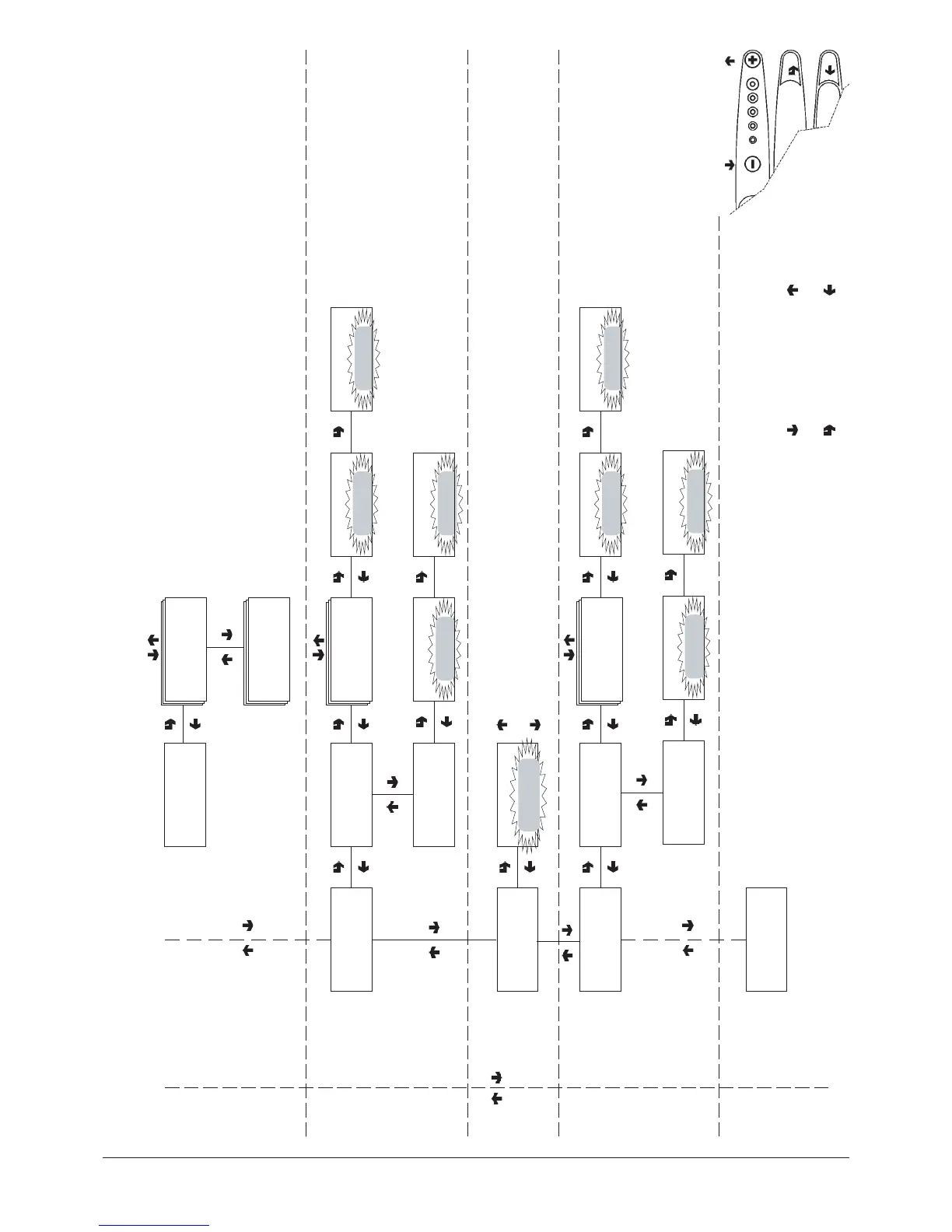
"Technician Menu" - Summary
CONFIRM DATA /
CONFIRM FUNCTION
DELETE DATA /
EXIT FUNCTION
PREVIOUS FUNCTION /
DECREASE DATA UNIT (-
1)
NEXT FUNCTION/
INCREASE DATA UNIT (+1)
TECH>3.4.5.1
Disp. coin mech counter
TECH>3.4.5
Disp. coin mech data
TECH>3.4.5.2
Display cash counter
COIN MECHANISM DATA
(according to the protocol used)
Validators and Executive
Cashed and sold
BDV Audit
MDB Audit
Delete data for:
Selections
Time bands
Failures
Coin mechanism data
RELATIVE STATISTICS
TECH>3.5.1
Delete partial
TECH>3.5.1.1
Delete selections
Confirm?
Delete selections
Working...
Delete selections
TECH>3.5.2
Delete total
Confirm?
Delete selections
Working...
Delete selections
TECH>3.5
Delete relative stats
TECH>3.6TECH>3.6
Enl. count at start-up
ON/OFF
With the printer connected
print all data as displayed
TOTAL STATISTICS
Print data for:
Selections
Time bands
Failures
Coin mechanism data
TECH>3.7
Print statistics
TECH>3.7.1
Partial printout
TECH>3.7.1.1
Print sel. counter
Confirm?
Print sel. counter
Printing...
Print sel. counter
TECH>3.7.2
Total printout
Confirm?
Total printout
Printing...
Total printout
TECH>3.8
Print relative stats
ON
OFF

Table of Contents

Related product manuals