MIDI menu point
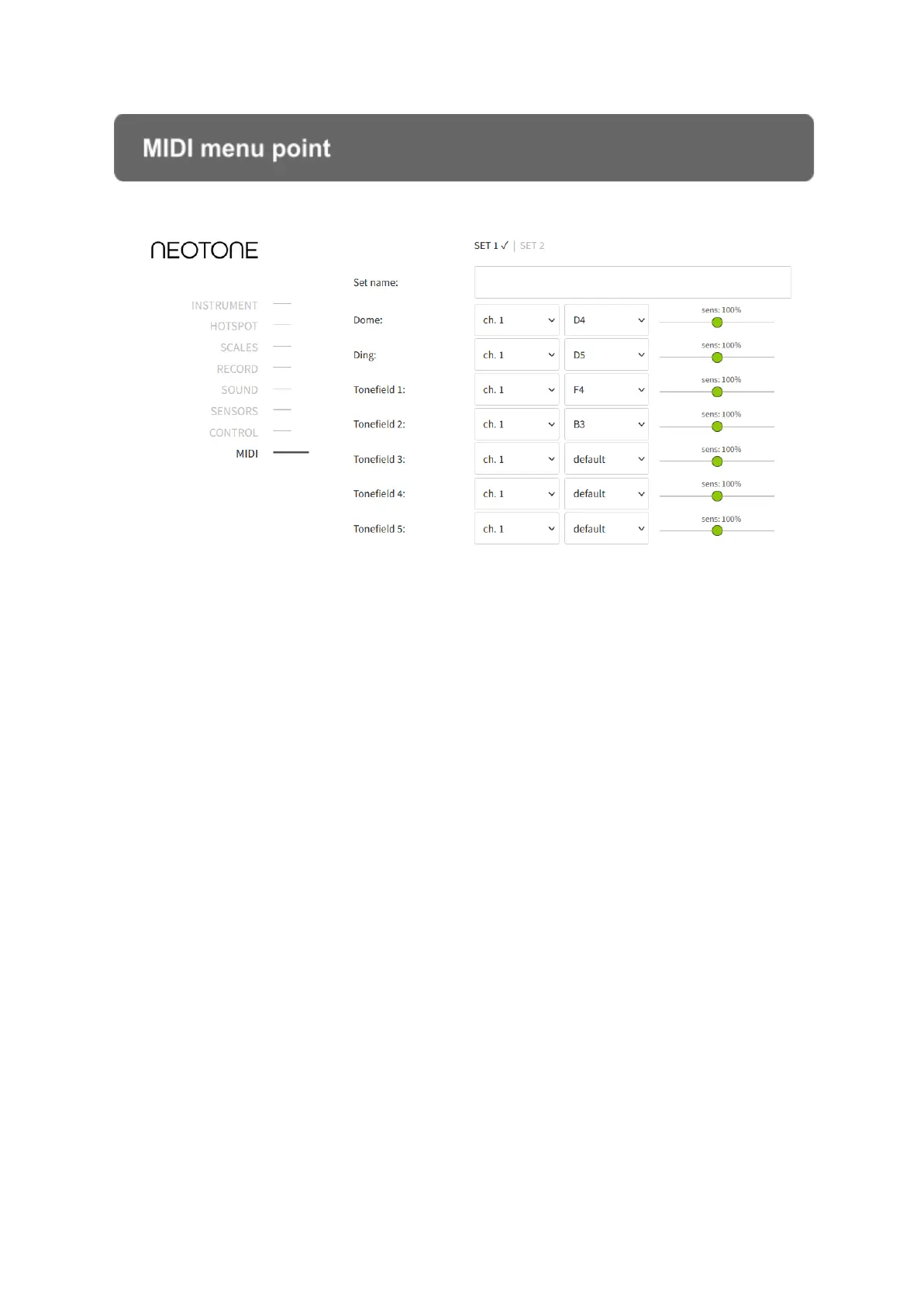
This section has midi maps for configuring midi messages. In order to define midi
maps you can click on SET 1 - 9. You can choose a midi set on the instrument by
holding down the DING and tonefield #1 simultaneously for 2 seconds. For example,
hold down the DING and tonefield #3 to select midi set 3.
Once you have saved the last available midi map, the next one will appear right next
to it. You can name each midi map.
All fields’ initial setting is empty which means the instrument won’t send any midi
messages. You can enable a tonefield to send midi notes by setting its note field to
“default note”. When “default note” is selected, the instrument will send out a
corresponding midi note for the given active scale.
You can also fix a midi note for each tonefield. It is recommended when you prefer
using the same midi notes for all the scales.
Note off method
Enables handpan style (send midi OFF when you release a tonefield)


 To Next Page