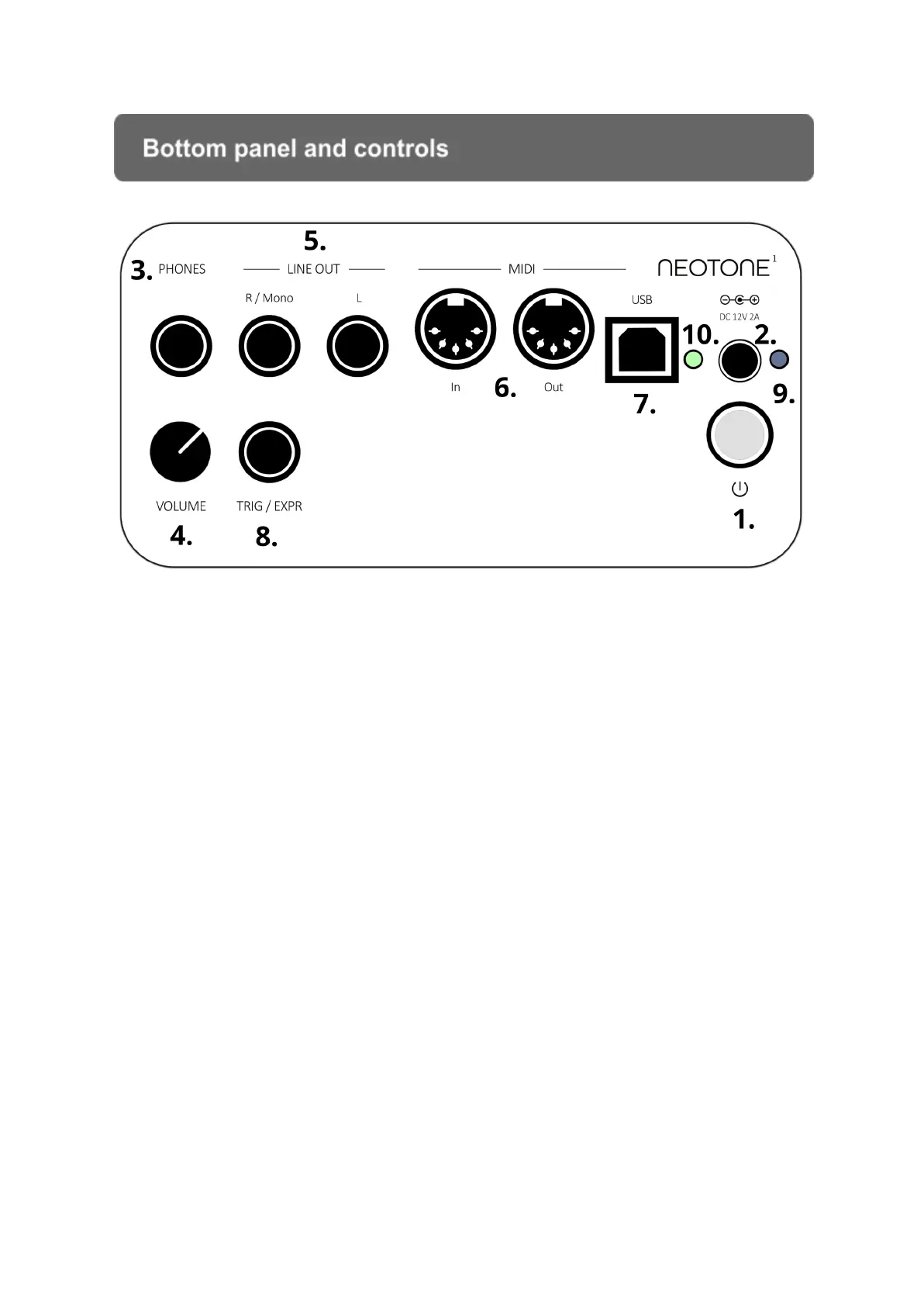
Bottom panel and controls
1.) POWER Press the button to turn on the instrument
Hold down for 3 seconds to turn off the instrument
2.) CHARGE Connect the DC 12V adapter to charge the battery
3.) PHONES Connect headphones (1/4“ TRS)
4.) VOLUME Adjust the headphones volume
5.) LINE OUT Unbalanced line outputs
6.) MIDI IN / OUT Connect an external MIDI device here
7.) MIDI USB Connect an external MIDI device through USB cable
8.) TRIG/EXPR Connect an external trigger or expression pedal
9.) BLUE LIGHT DC charger adapter connected
10.) GREEN/RED LIGHT Instrument is turned on
BLINKING
GREEN/RED Instrument is turning off


 To Next Page