3 Part Names
3-3
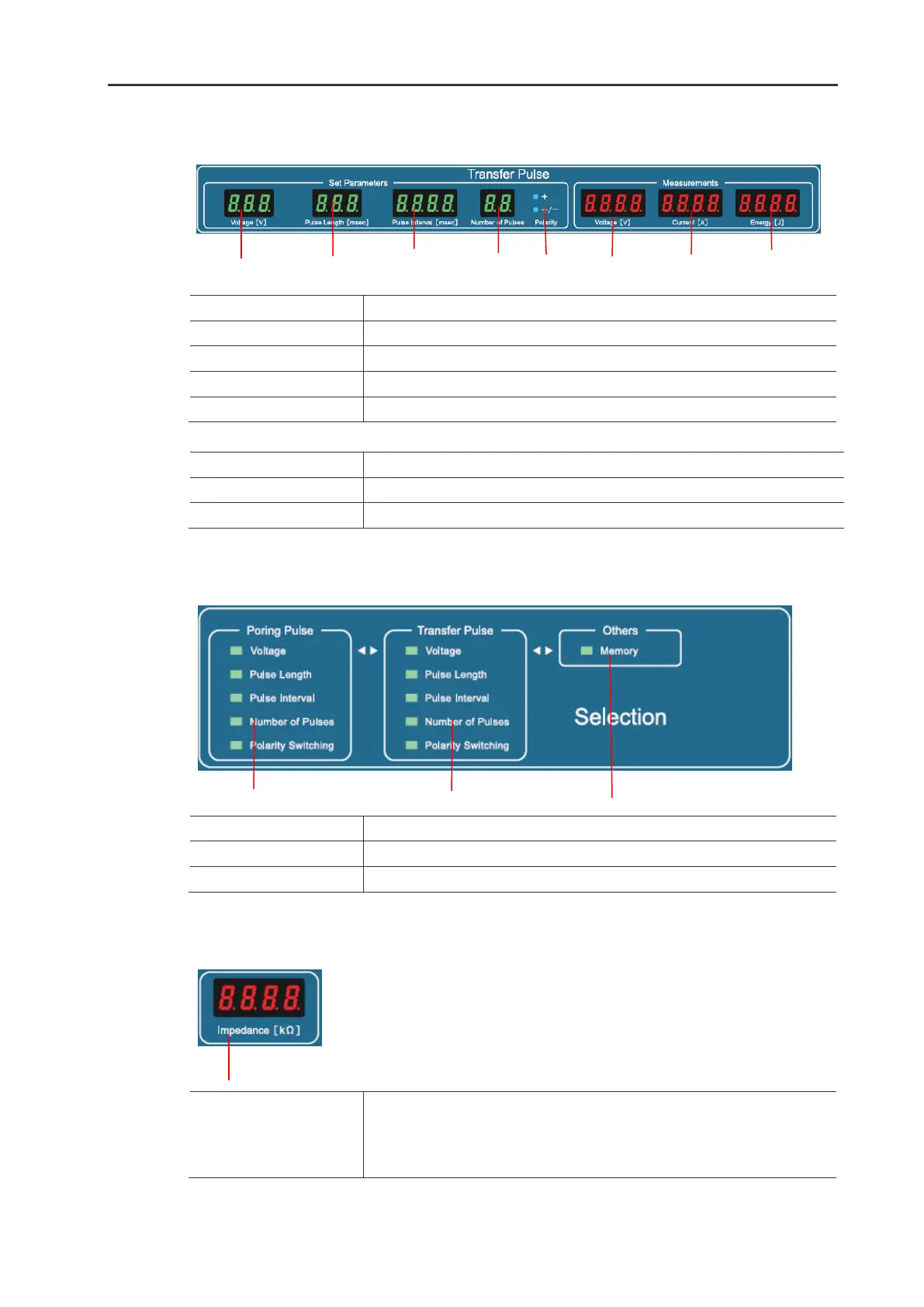
2. Transfer Pulse window
Set Parameters frame
Display the set pulse voltage value.
Display the set pulse length in milliseconds.
Display the pulse interval (duration between pulses) in milliseconds.
Display the number of set pulses.
Display the set electrical polarity (+ only or +, followed by -).
Measurements window
Display the measured output voltage value.
Display the measured output current value.
Display the calculated output pulse energy in joules.
3. Selection window
Illuminate the editable parameter.
Illuminate the editable parameter.
Illuminate the editable item.
4. Impedance window
- Display the electrical impedance value between the electrodes by
pressing
Ω
button.
- Display the program number as “Ch.XX” when Memory in Others frame
in Selection window is selected and lighting up.


 To Next Page