Audio CD And Audio Files
6.1.1 Customizing Properties of The Audio File
You can display and/or make changes to the audio file properties on the Track Properties,
Indexes, Limits, Splits and Filters tabs of the Audio Track Properties window. To open
the window, mark an audio file in the compilation screen for Audio CDs and click the Edit >
Properties menu.
6.1.1.1 Track Properties Tab
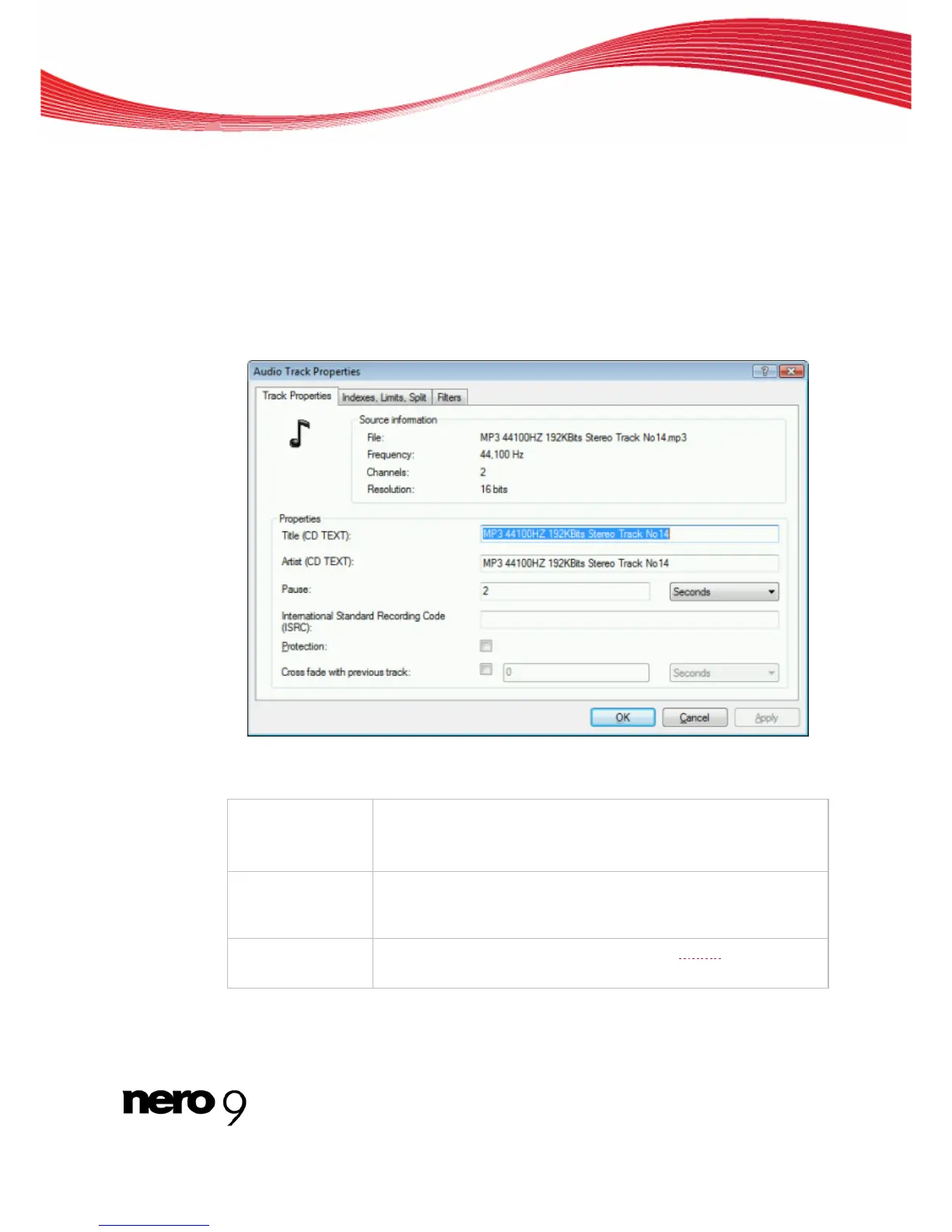
On the Track Properties tab you will find basic information on the selected file in the Sour-
ce information area.
Track Properties Tab
The following input areas are available in the Properties area:
Input field
Title (CD TEXT)
Defines a title which is saved as CD text.
CD players that support CD Text show the title name entered here.
Input field
Artist (CD TEXT)
Defines the artist which is saved as CD Text.
CD players that support CD Text show the artist's name entered he-
re.
Input field
Pause
Defines the length of the pause in seconds or frames between the
selected audio file and the next one.
Nero Burning ROM 30



 To Next Page