Audio CD And Audio Files
Check box
Equalizer
Opens an equalizer so you can change the volume, bass, and
pitch in different frequency ranges.
Button
Test Selected Filters
Plays the audio file and applies the activated filters. During play-
back, the configuration options for the filters can be changed, al-
lowing the effect to be controlled.
6.1.2 Defining Options
6.1.2.1 Audio CD Settings
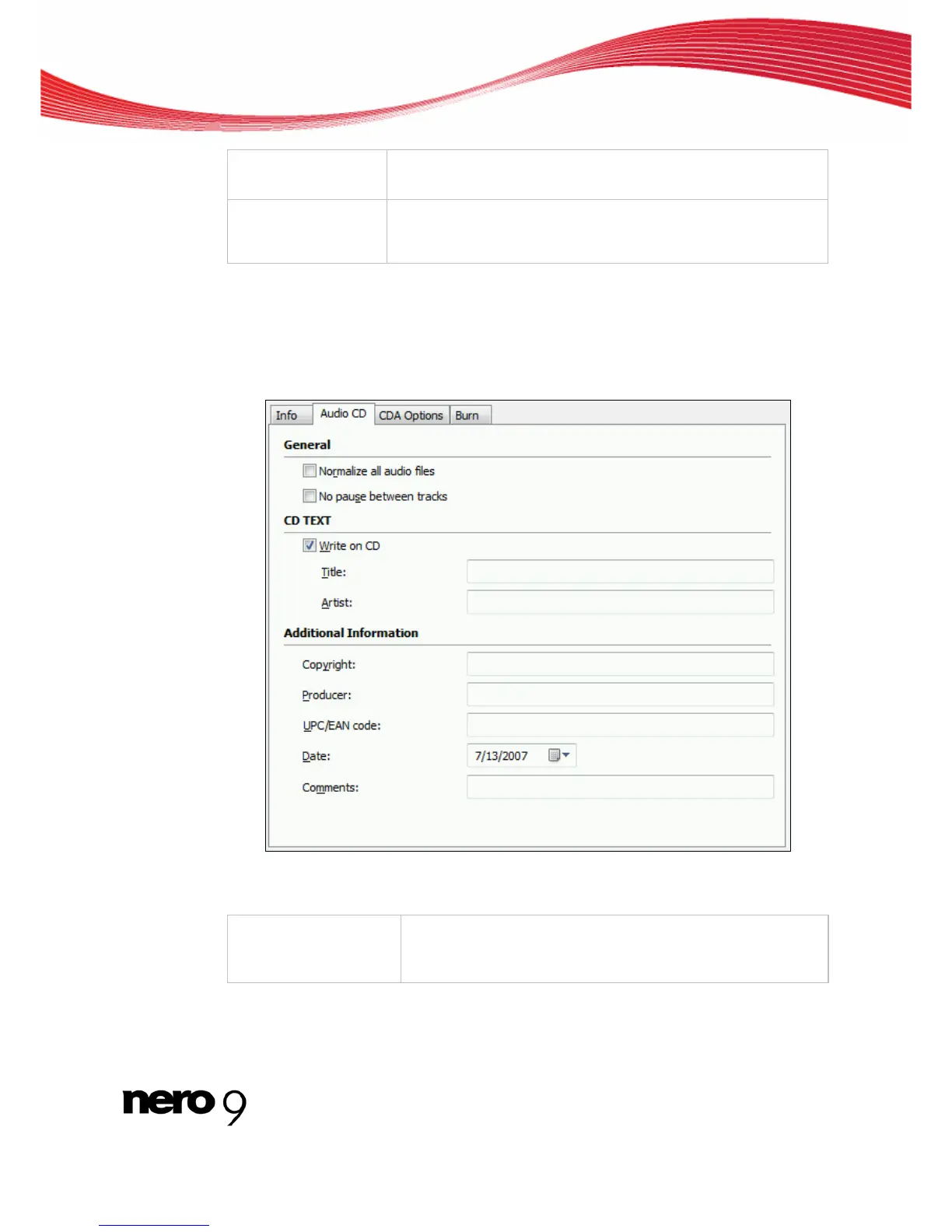
The Audio CD tab provides options for setting the Audio CD.
Audio CD Tab
The following configuration options are available on the Audio CD tab in the General area:
Check box
Normalize all audio fi-
les
Enables a filter that brings the volume of the audio files to be
burned into line with one another. This is particularly recom-
mended if the audio files originate from different sources.
Nero Burning ROM 34



 To Next Page