NV battery pack plug
Attention: The NV module LED blinks while destaging contents to the flash memory when you halt the
system. After the destage is complete, the LED turns off.
2. Lift the battery up to access the battery plug.
3. Squeeze the clip on the face of the battery plug to release the plug from the socket, and then unplug the
battery cable from the socket.
4. Lift the battery out of the air duct and controller module.
5. Move the battery pack to the replacement controller module and then install it in the replacement controller
module:
a. Open the NV battery air duct in the replacement controller module.
b. Plug the battery plug into the socket and make sure that the plug locks into place.
c. Insert the battery pack into the slot and press firmly down on the battery pack to make sure that it is
locked into place.
d. Close the NV battery air duct.
Step 5: Move system DIMMs
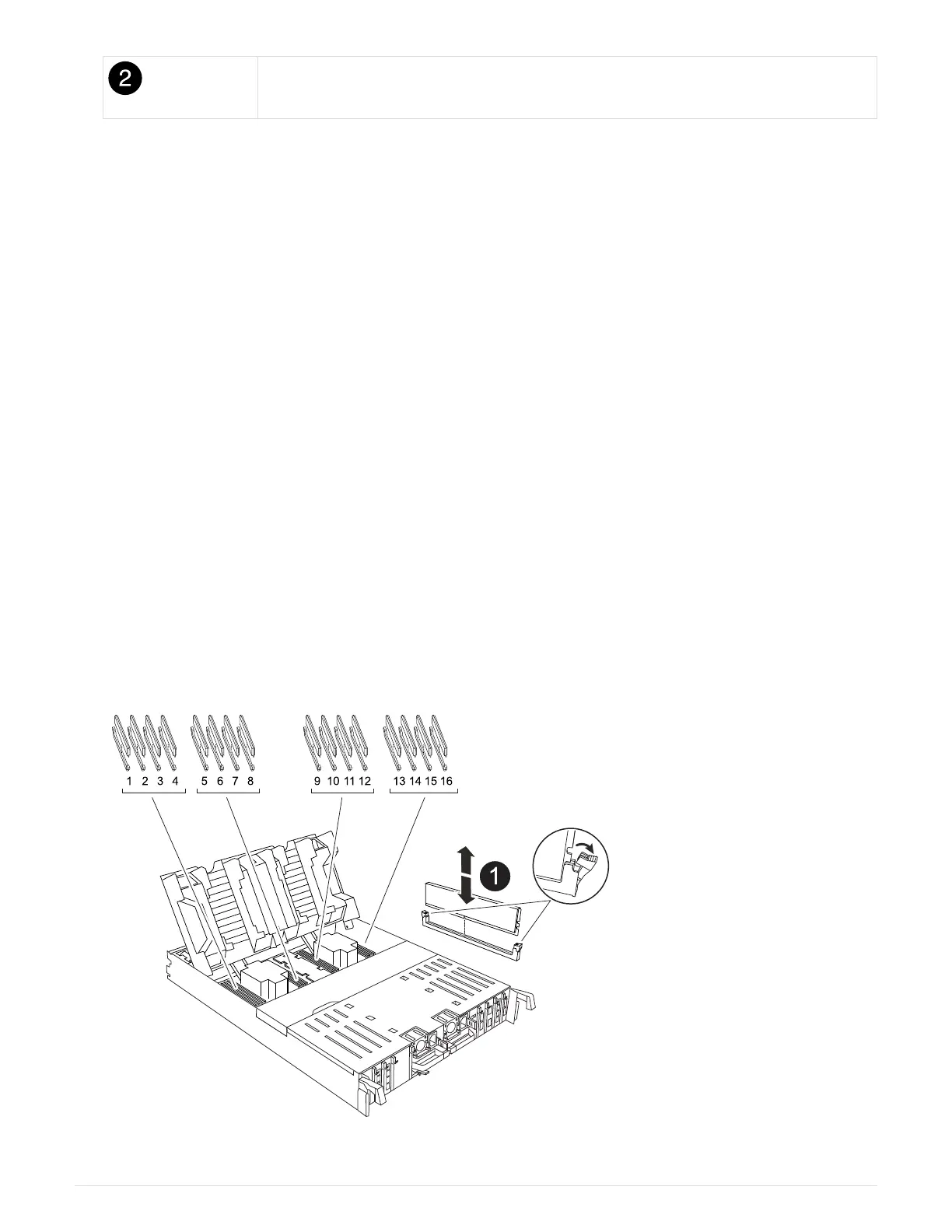
Move the DIMMs to the replacement controller module.
1. Open the controller air duct on the top of the controller.
a. Insert your fingers in the recesses at the far ends of the air duct.
b. Lift the air duct and rotate it upward as far as it will go.
2. Locate the system DIMMs on the motherboard.
34



 To Next Page