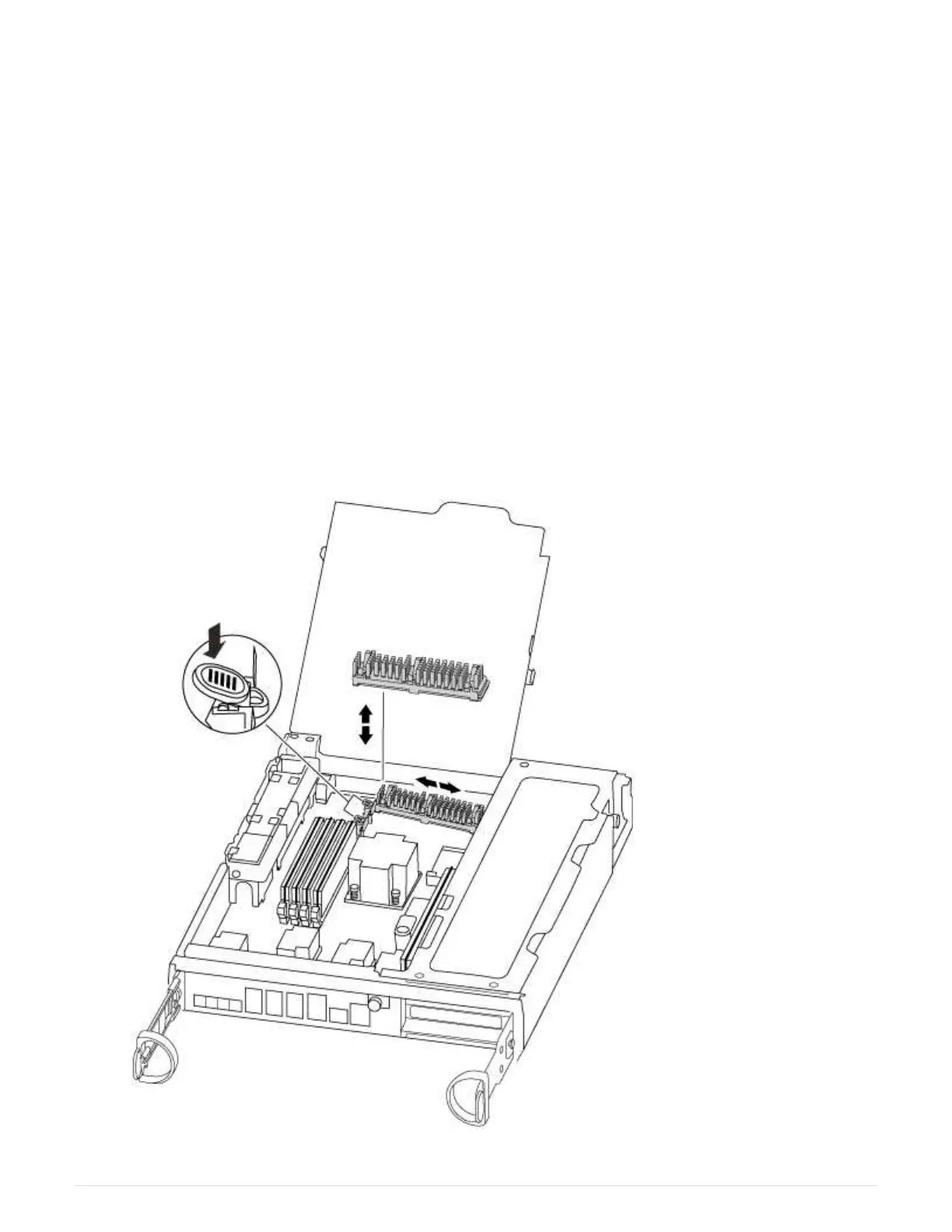
5. Open the new controller module side panel, if necessary, slide off the PCIe card filler plate, as needed, and
carefully install the PCIe card.
Be sure that you properly align the card in the slot and exert even pressure on the card when seating it in
the socket. The card must be fully and evenly seated in the slot.
6. Repeat the preceding step for the remaining PCIe cards that you set aside.
7. Close the side panel and tighten the thumbscrew.
Step 6: Move a caching module
You must move the caching modules from the impaired controller modules to the replacement controller
module when replacing a controller module.
1. Locate the caching module at the rear of the controller module and remove it:
a. Press the release tab.
b. Remove the heatsink.
The storage system comes with two slots available for the caching module and only one slot is
occupied, by default.
349



 To Next Page