Step 3: Replace a PCIe card
To replace a PCIe card, locate it within the controller and follow the specific sequence of steps.
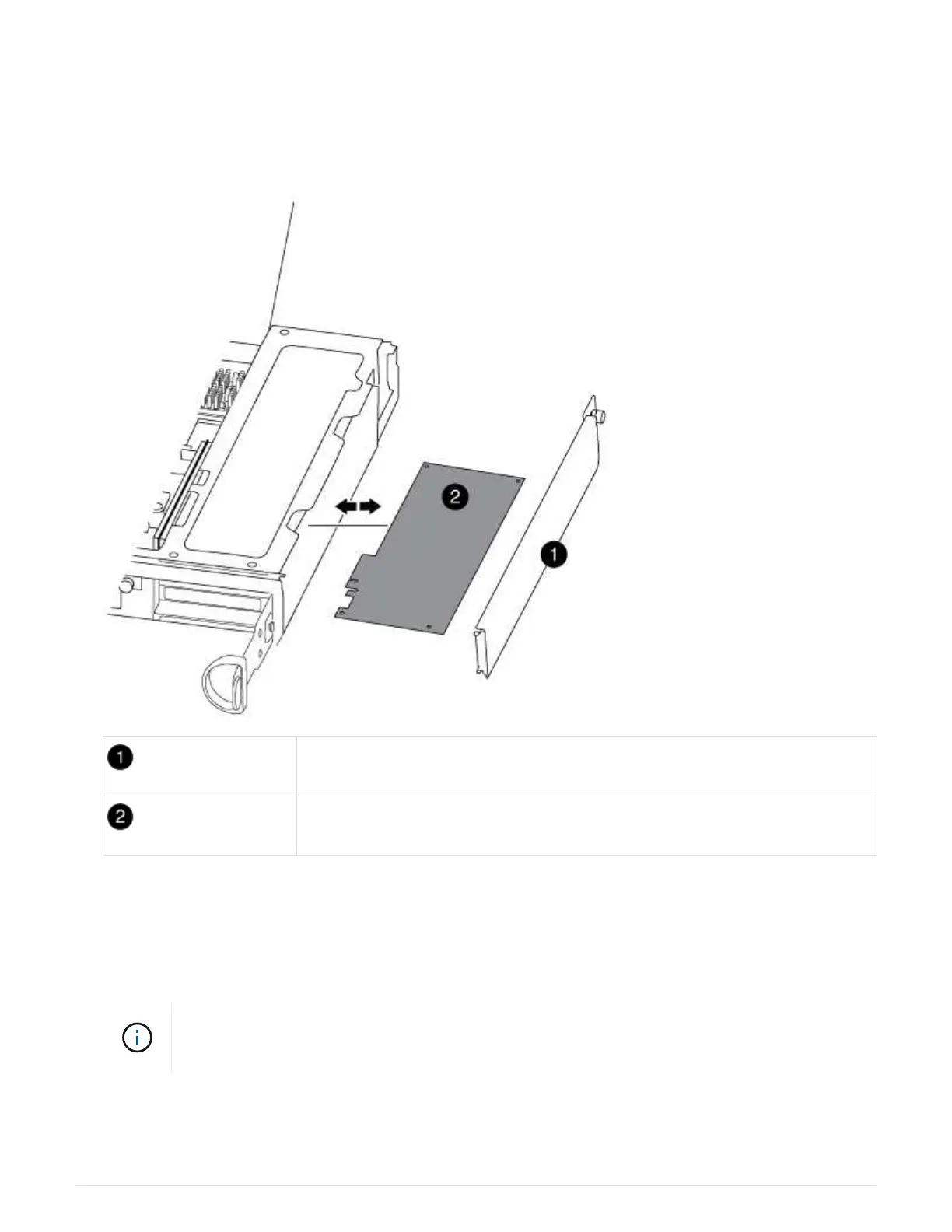
1. Loosen the thumbscrew on the controller module side panel.
2. Swing the side panel off the controller module.
Side panel
PCIe card
3. Remove the PCIe card from the controller module and set it aside.
4. Install the replacement PCIe card.
Be sure that you properly align the card in the slot and exert even pressure on the card when seating it in
the socket. The PCIe card must be fully and evenly seated in the slot.
If you are installing a card in the bottom slot and cannot see the card socket well, remove
the top card so that you can see the card socket, install the card, and then reinstall the card
you removed from the top slot.
5. Close the side panel and tighten the thumbscrew.
394



 To Next Page