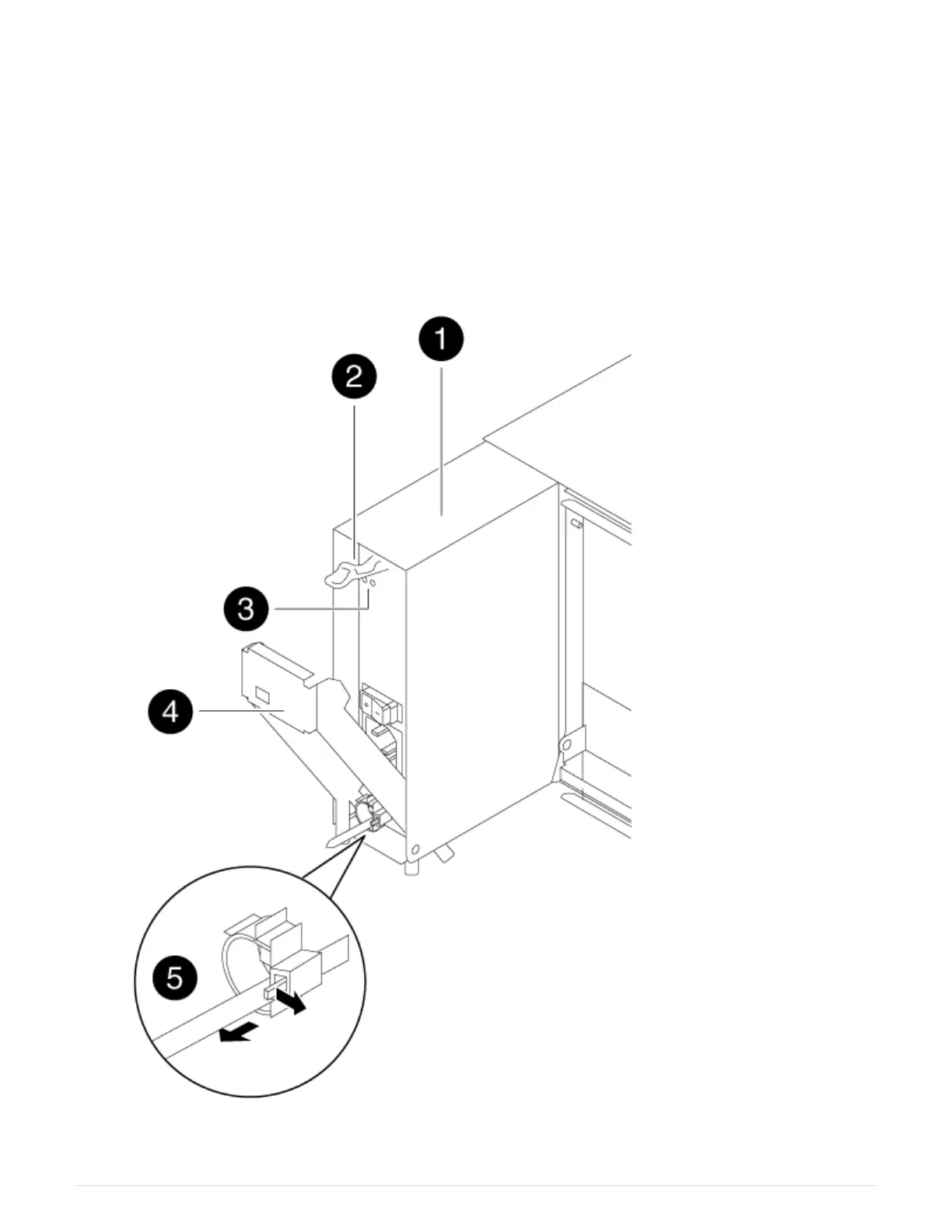
1. Identify the power supply you want to replace, based on console error messages or through the LEDs
on the power supplies.
2. If you are not already grounded, properly ground yourself.
3. Turn off the power supply and disconnect the power cables:
a. Turn off the power switch on the power supply.
b. Open the power cable retainer, and then unplug the power cable from the power supply.
c. Unplug the power cable from the power source.
4. Press down the release latch on the power supply cam handle, and then lower the cam handle to the
fully open position to release the power supply from the mid plane.
398



 To Next Page