Step 3: Replace a caching module
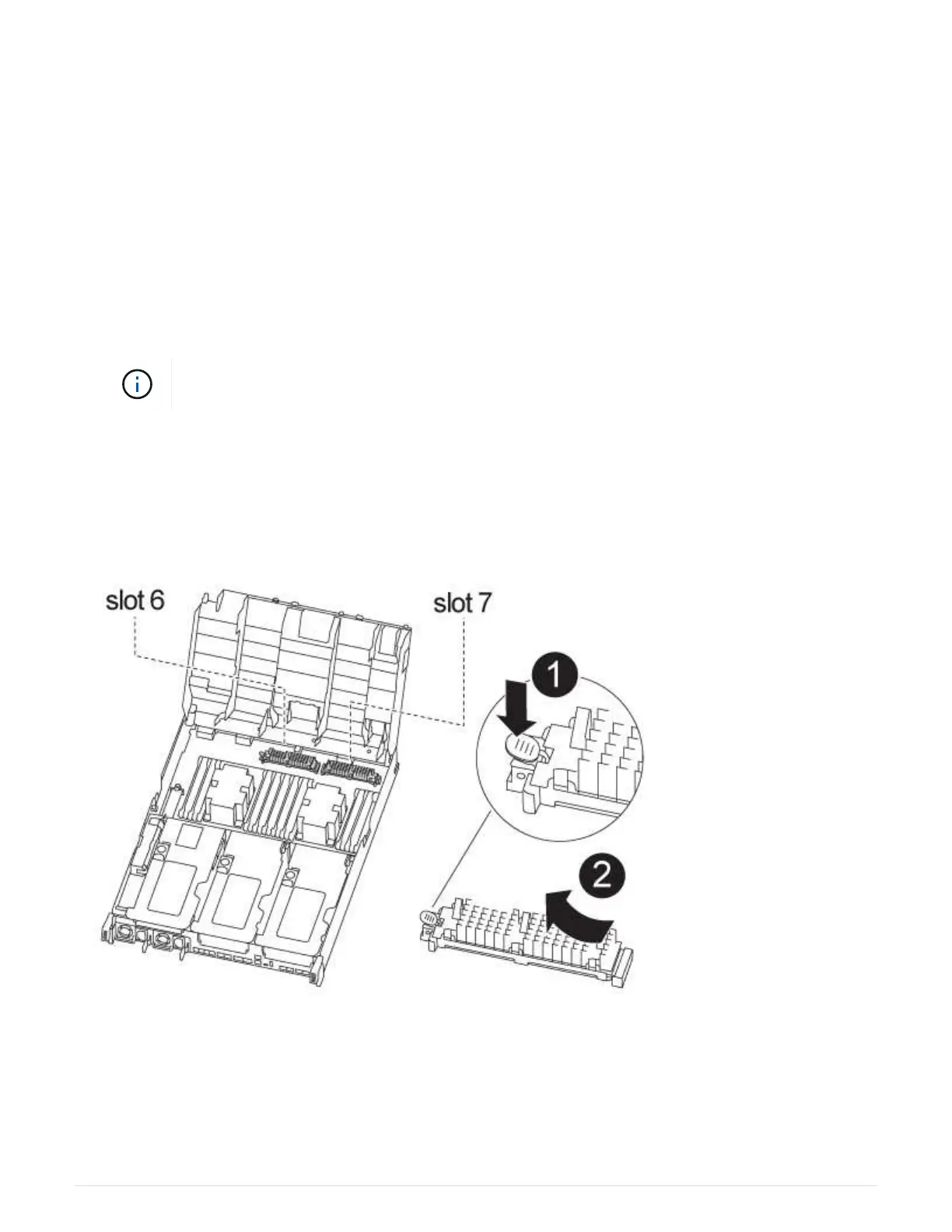
To replace a caching module, referred to as the Flash Cache on the label on your
controller, locate the slot inside the controller and follow the specific sequence of steps.
See the FRU map on the controller module for the location of the Flash Cache.
Your storage system must meet certain criteria depending on your situation:
• It must have the appropriate operating system for the caching module you are installing.
• It must support the caching capacity.
• Although the contents of the caching module is encrypted, it is a best practice to erase the contents of the
module before replacing it. For more information, see the
Statement of Volatility for your system on the
NetApp Support Site.
You must log into the NetApp Support Site to display the Statement of Volatility for your
system.
• All other components in the storage system must be functioning properly; if not, you must contact technical
support.
You can use the following animation, illustration, or the written steps to replace a caching module.
Replacing the caching module
Steps
1. If you are not already grounded, properly ground yourself.
2. Open the air duct:
a. Press the locking tabs on the sides of the air duct in toward the middle of the controller module.
444



 To Next Page