8. On the impaired controller module, disconnect the power supplies.
Step 2: Replace the NVRAM module
To replace the NVRAM module, locate it in slot 6 in the chassis and follow the specific
sequence of steps.
Steps
1. If you are not already grounded, properly ground yourself.
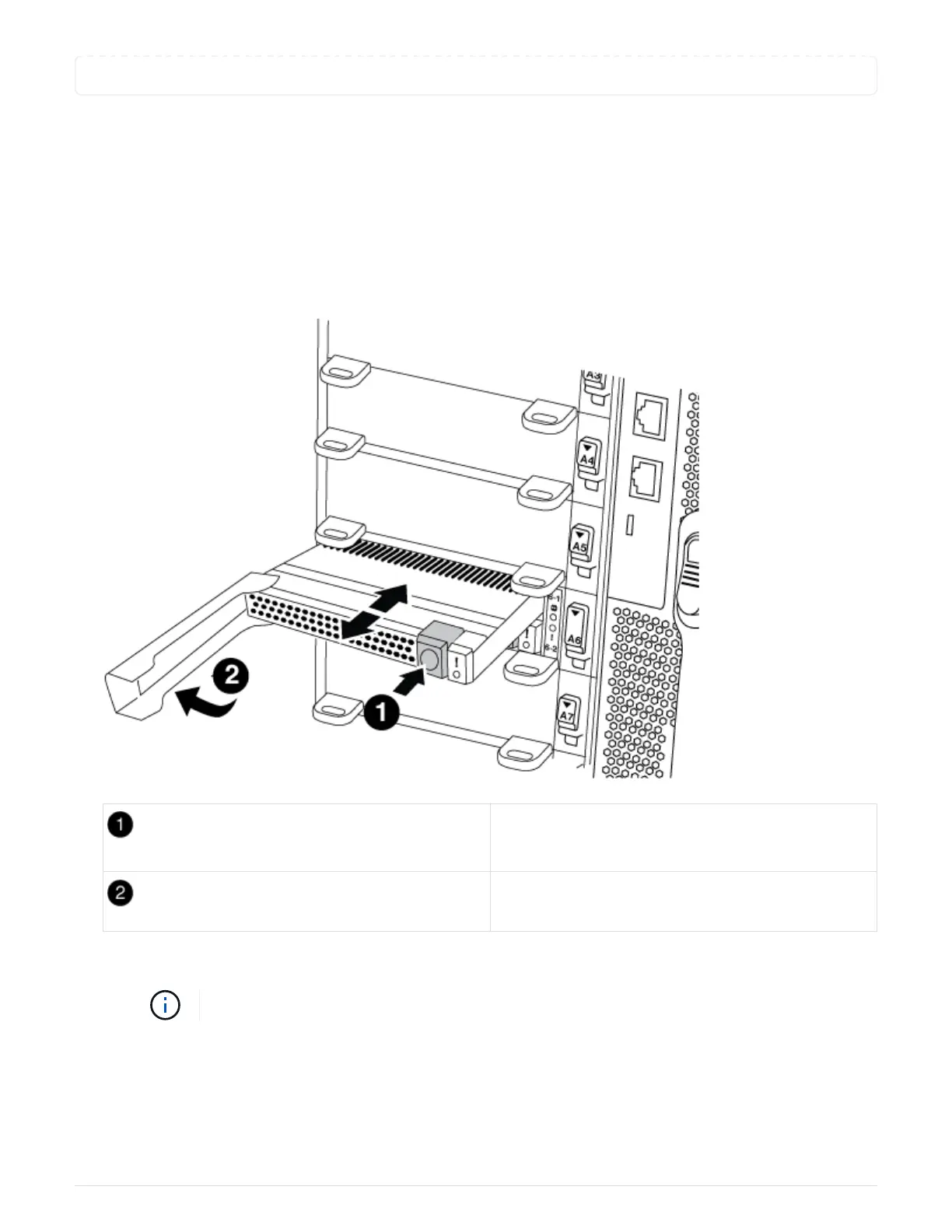
2. Move the FlashCache module from the old NVRAM module to the new NVRAM module:
Orange release button (gray on empty FlashCache
modules)
FlashCache cam handle
a. Press the orange button on the front of the FlashCache module.
The release button on empty FlashCache modules is gray.
b. Swing the cam handle out until the module begins to slide out of the old NVRAM module.
c. Grasp the module cam handle and slide it out of the NVRAM module and insert it into the front of the
new NVRAM module.
d. Gently push the FlashCache module all the way into the NVRAM module, and then swing the cam
653



 To Next Page