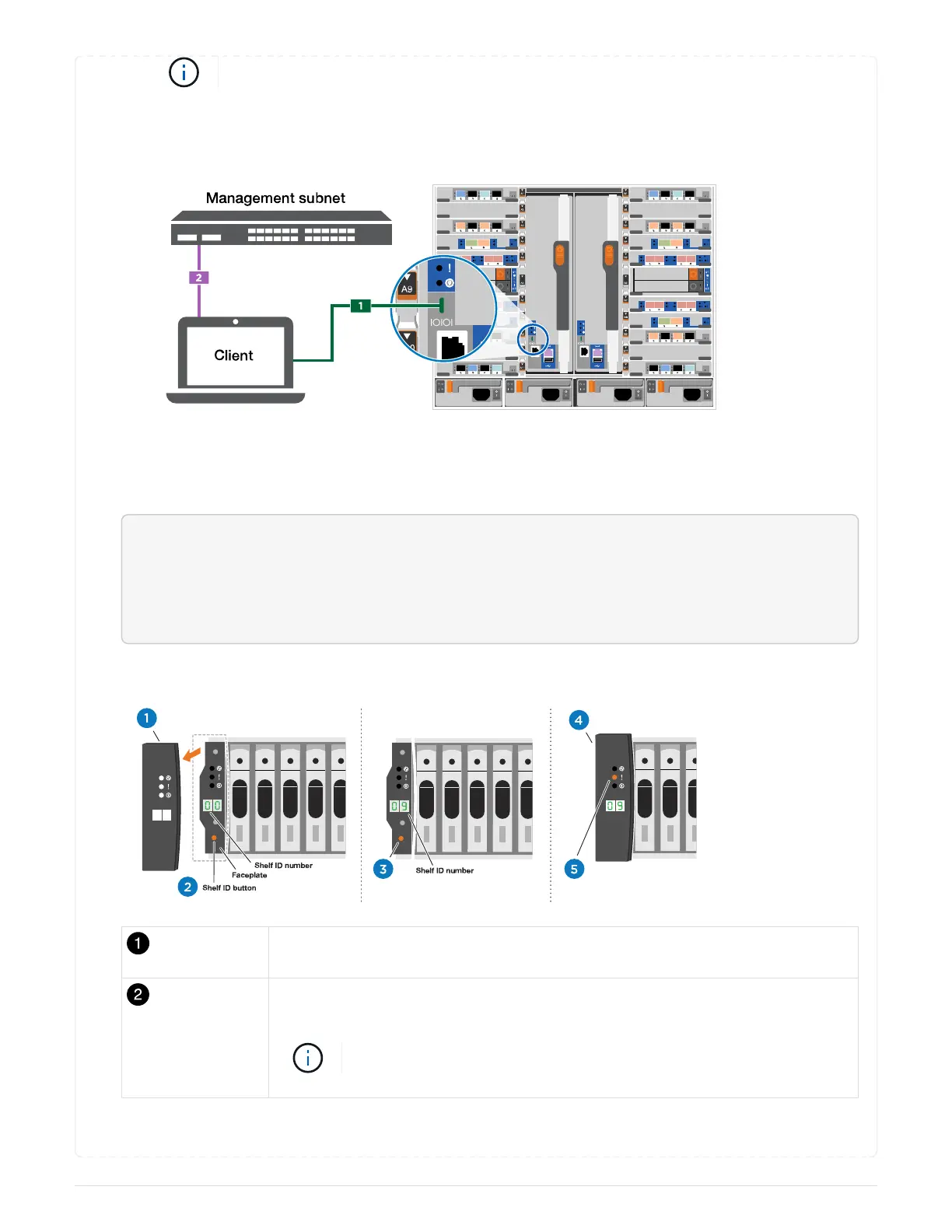
See your laptop or console’s online help for how to configure the console port.
b. Connect the console cable to the laptop or console using the console cable that came with your
system, and then connect the laptop to the switch on the management subnet.
c. Assign a TCP/IP address to the laptop or console, using one that is on the management subnet.
2. Use the following animation to set one or more drive shelf IDs:
<div class="aspect-ratio"><iframe frameborder="1" height="400"
scrolling="auto"
src="https://netapp.hosted.panopto.com/Panopto/Pages/embed.aspx?id=9
5a29da1-faa3-4ceb-8a0b-ac7600675aa6" width="711"> </iframe></div>
Animation - Setting your shelf ID’s
Remove the end cap.
Press and hold shelf ID button until first digit blinks, then push to advance to 0-
9.
The first digit continues to blink
698



 To Next Page